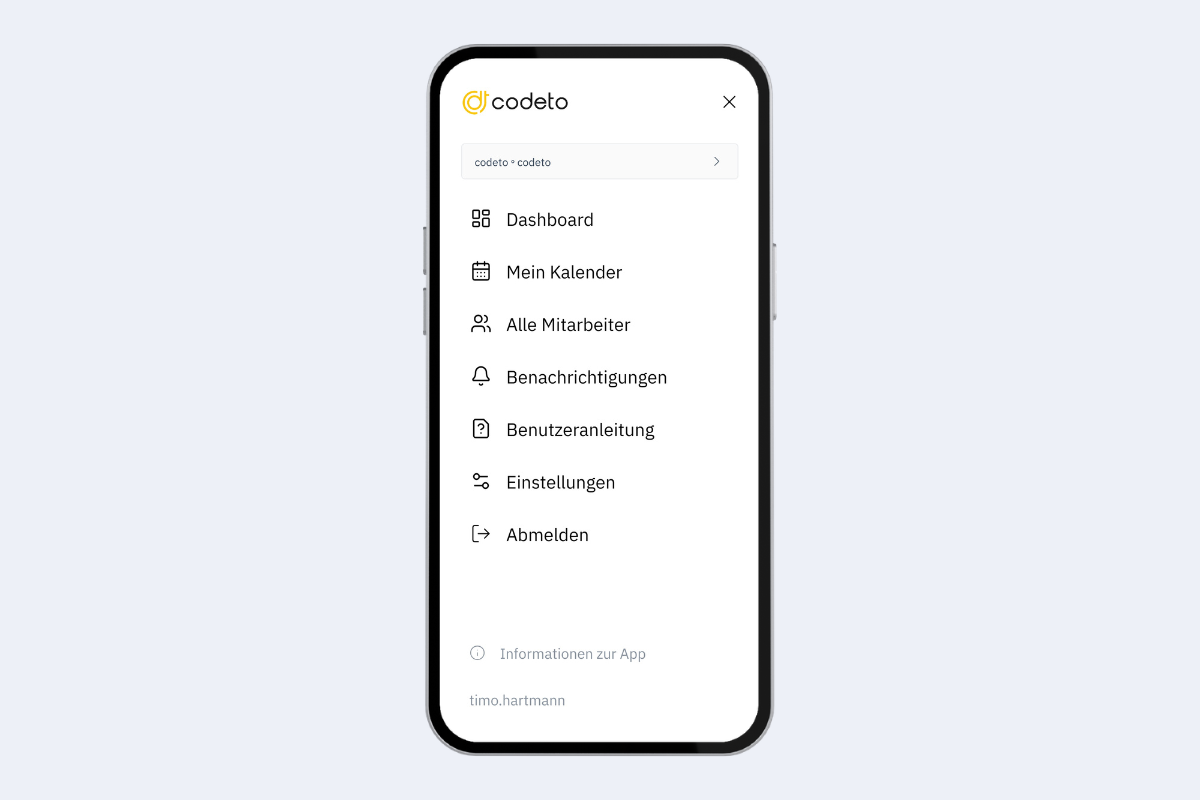
Menu & Dashboard
After signing in you land directly on the Dashboard. The remaining days of the current week are shown with your assignments and upcoming absences. When you tap an entry, you jump to the calendar and see the details. Via the bell icon in the top right corner you can access your notifications.
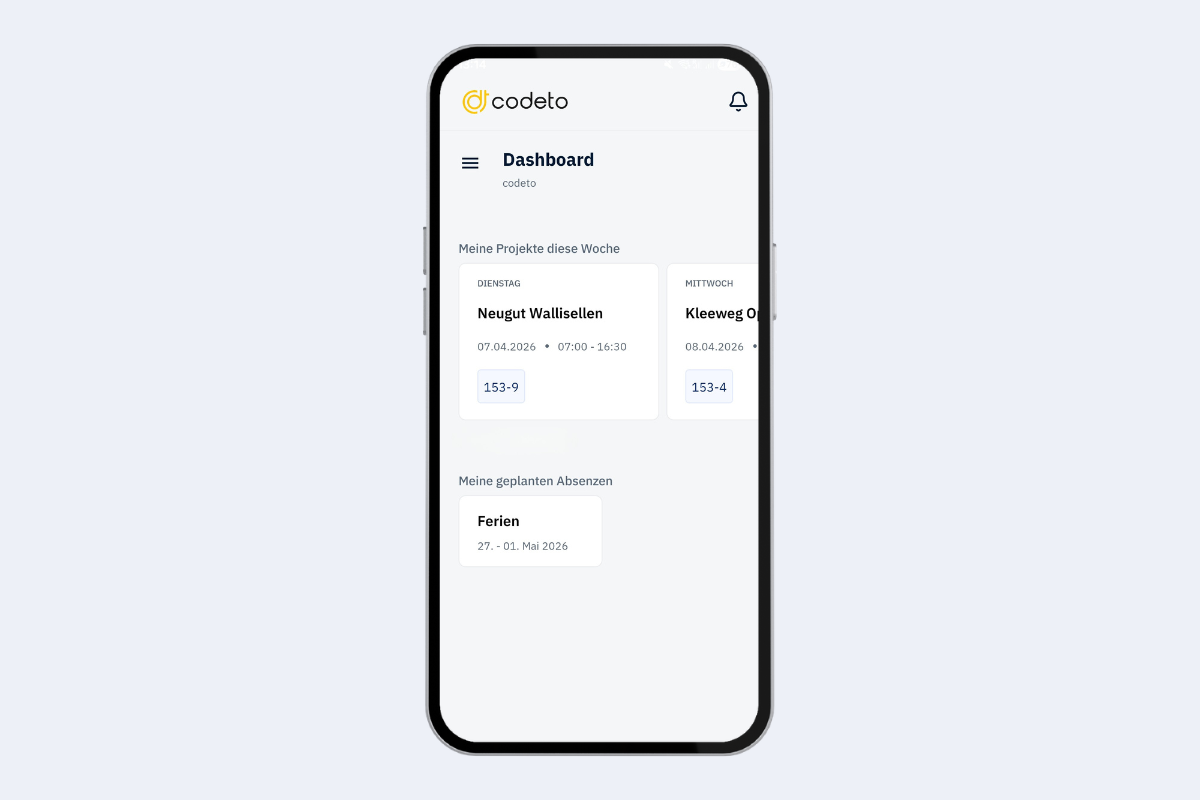
Tap the three lines (menu icon) at the top left to open the Menu. The following items are available:
- Dashboard: back to the overview of the current week
- My Calendar: jump to your personal calendar
- All Employees: view bookings of all employees
- Notifications: view received notifications
- User Guide: open the app guide
- Settings: configure language and notifications
- Log out: log out of the app
In the App information section (bottom) you see your app version and the latest updates. At the very bottom it shows which user you are currently logged in as.