Add a new project
The plus sign opens the dialog for adding a new project.
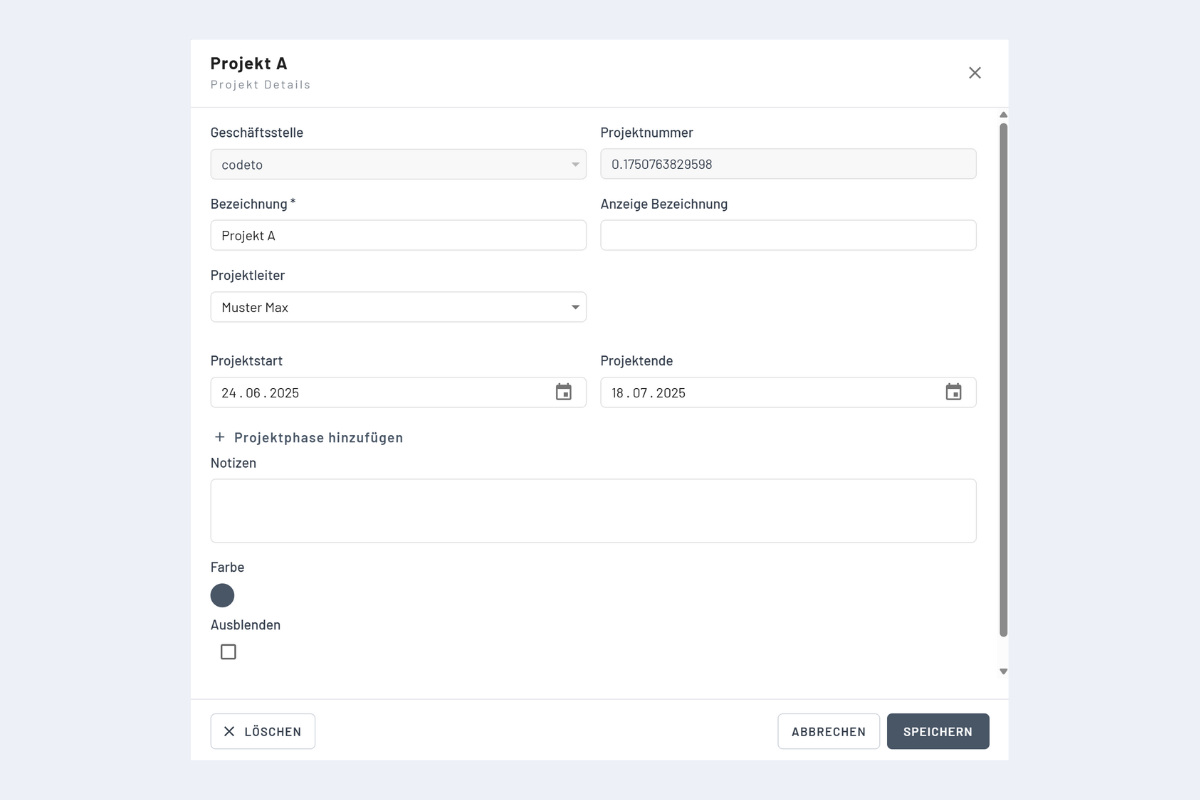
Fields
- Branch office: set automatically.
- Order number: created automatically or transferred via interface (Enterprise only).
- Name: project name in codeto plan (mandatory).
- Display name: optional alternative display name. Useful when projects are imported via interface with long project numbers (Enterprise only).
- Project manager: assigns the project manager; useful later for filters.
- Project start and end: the period is highlighted in green in the calendar (purely informational). Bookings outside the period are still possible.
- Note: if a note is stored, an "N" appears to the right of the project name.
Project notes vs. booking notes
Notes stored on the project apply to the whole project. They are visible in the project details, including for employees in the mobile app when they open the project details.
Notes entered in the booking dialog, on the other hand, apply only to that individual booking and do not appear in the project notes. See Create a booking in the Projects view for more.
Edit and hide existing projects
Clicking the name of an existing project reopens the same dialog and any field can be edited. The "Hide" tick removes the project from the project list. Showing it again works the same way as for employees: Show and hide.