Project phases
Projects can be divided into any number of phases, which structures the planning and lets you assess utilization per phase.
Phases are a purely visual aid
Phases impose no boundaries: bookings can stretch across phases without issue. The colour separation is only there for clarity.
Prerequisite: project start and end dates are defined.
Adding phases
Phases can be added when creating a new project or later on existing projects. Open the project; the project phases section appears in the edit dialog.
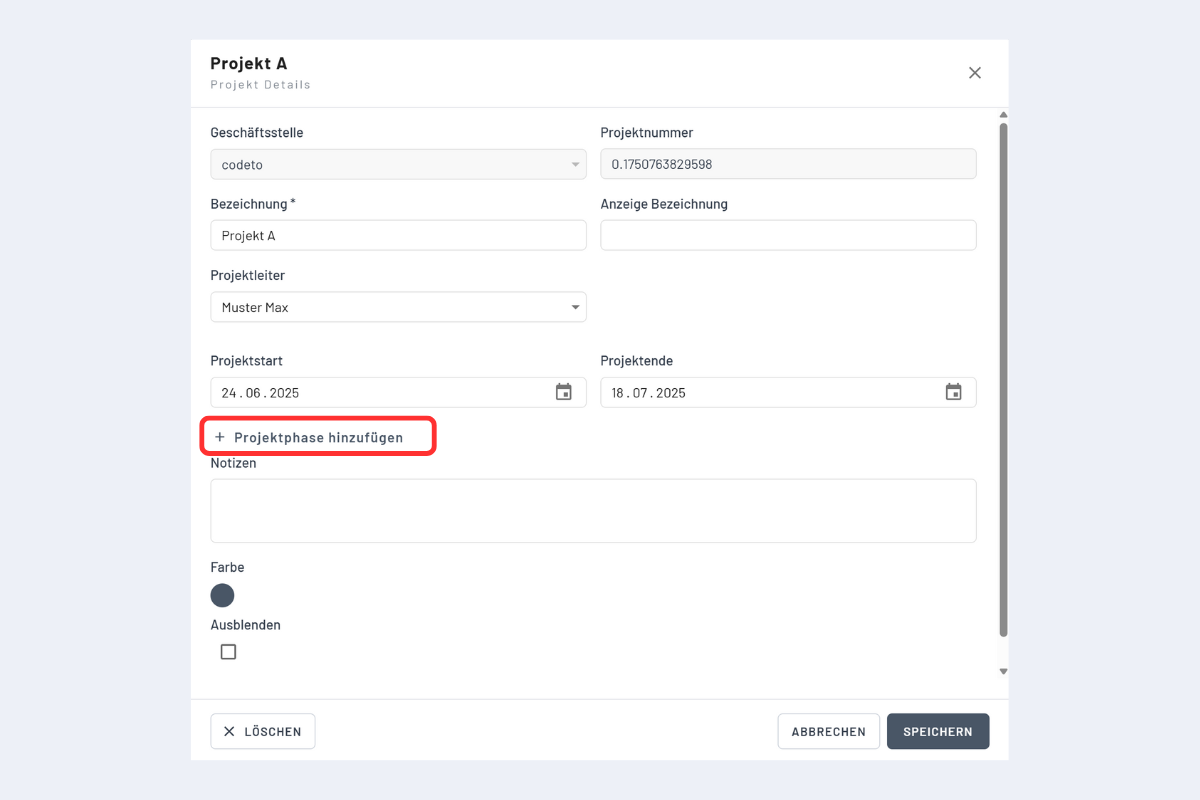
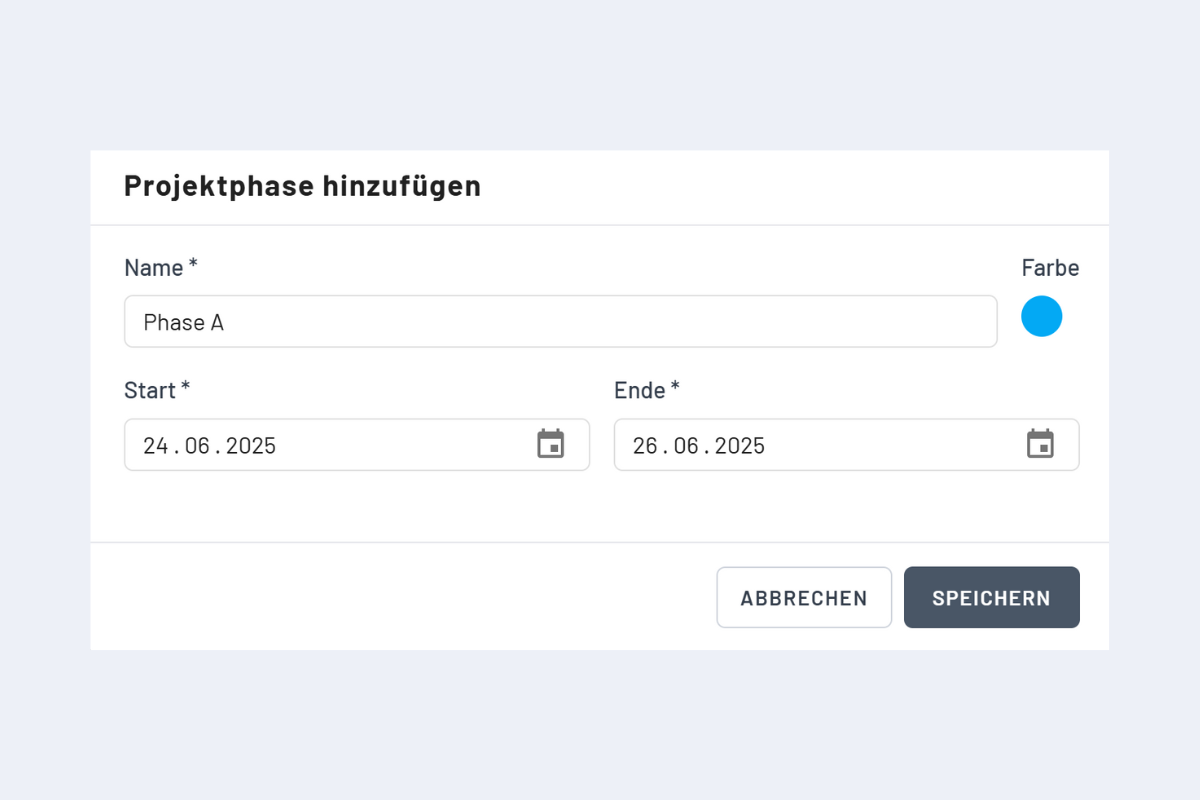
Guidelines:
- Phases stay within project start and end.
- Phases must not overlap.
- Each phase its own colour, for clear differentiation.
- Recommendation: define fixed default colours (phase A, phase B, ...) company-wide.
Display
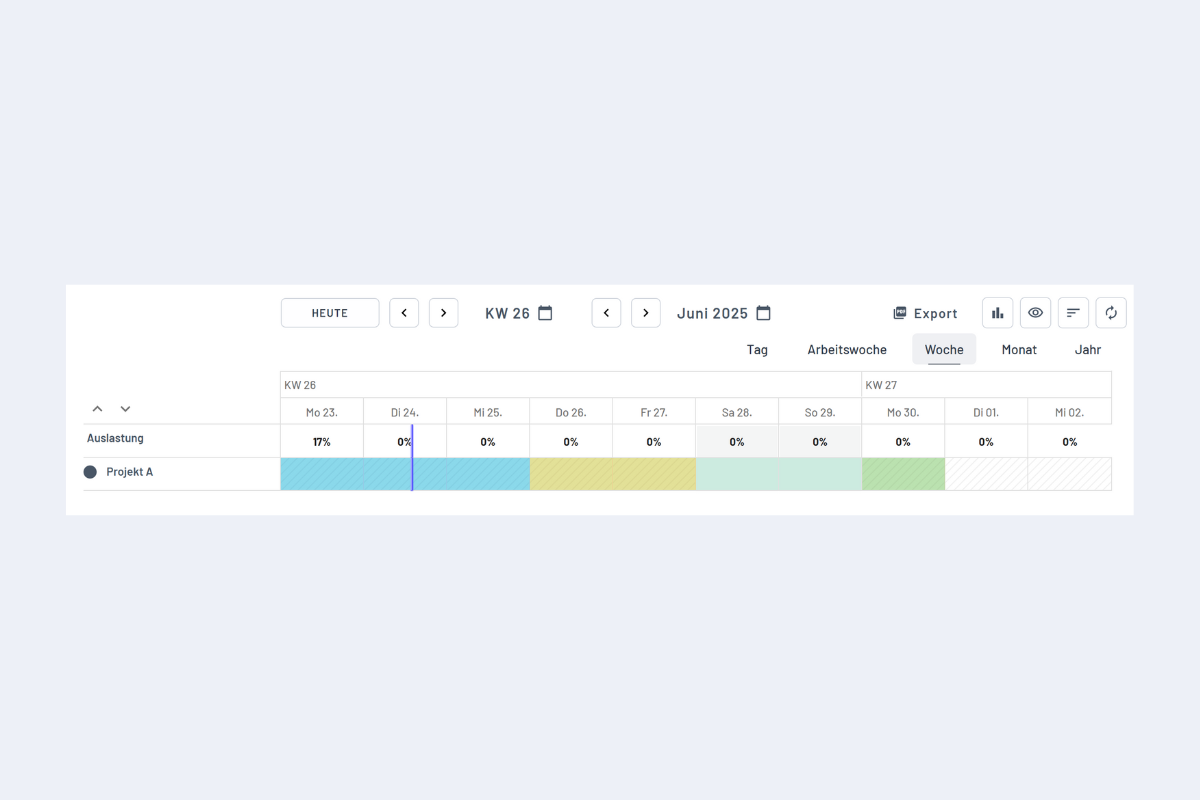
Check utilization by phase
Record all relevant bookings (employees and vacancies). Utilization can then be checked:
- in the top row (utilization in the first row), or
- in the utilization chart (week / month / year).