Bookings
What is a booking?
A booking is a time block in the plan that defines who (employee, work equipment) is scheduled when (date/period) for what (project, service, absence). Bookings are the central element in codeto plan — every assignment, project entry or absence record is a booking.
Basic logic
Bookings can be created in any view: Employees, Projects, Service week, Absences, and Work Equipment (left sidebar). The documentation therefore refers to the employee view, project view, Service week, absence view and work equipment view.
This means the user is in the corresponding section of the left sidebar.
All views except Work Equipment are linked and show the same information from different perspectives.
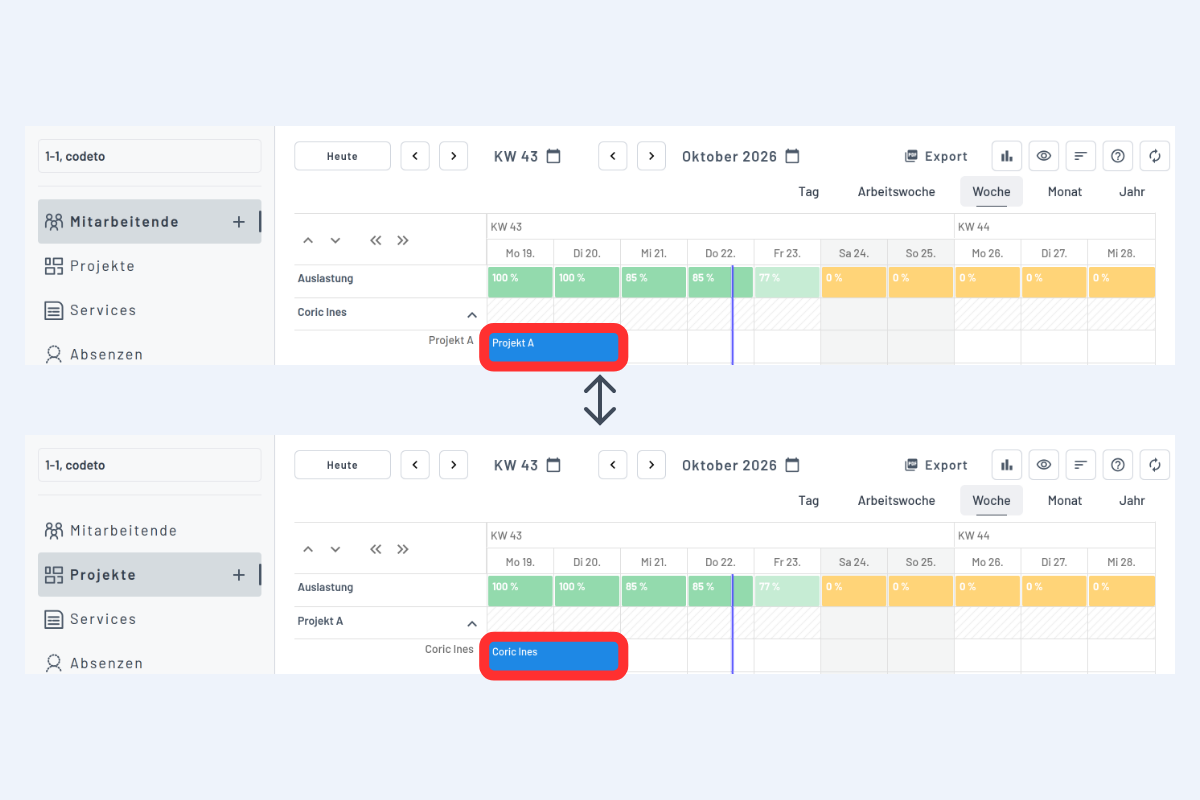
For example, if you create a booking in the employee view for Coric Ines on Project A, the entry also appears in the project view: at Project A on the same date and time, Coric Ines is shown as the assigned employee.
Work equipment as standalone entries
Work equipment is currently standalone, i.e. it can be recorded and assigned to an employee. However, this information is not shown in the employee view but only in the work equipment view.
If work equipment should also appear in the employee view, we currently recommend recording it as an entry under Employees and then booking it onto projects or services.