Select and edit several bookings at once
We recommend opening the detail view to select bookings (more on this in the chapter Detail view).
There are two ways to select several bookings:
- CTRL + click: hold the CTRL key and click the desired bookings (see Fig. Select bookings, top).
- Hold the ALT key and drag a rectangle over the desired bookings with the mouse (see Fig. Select bookings, bottom).
Select bookings (top)
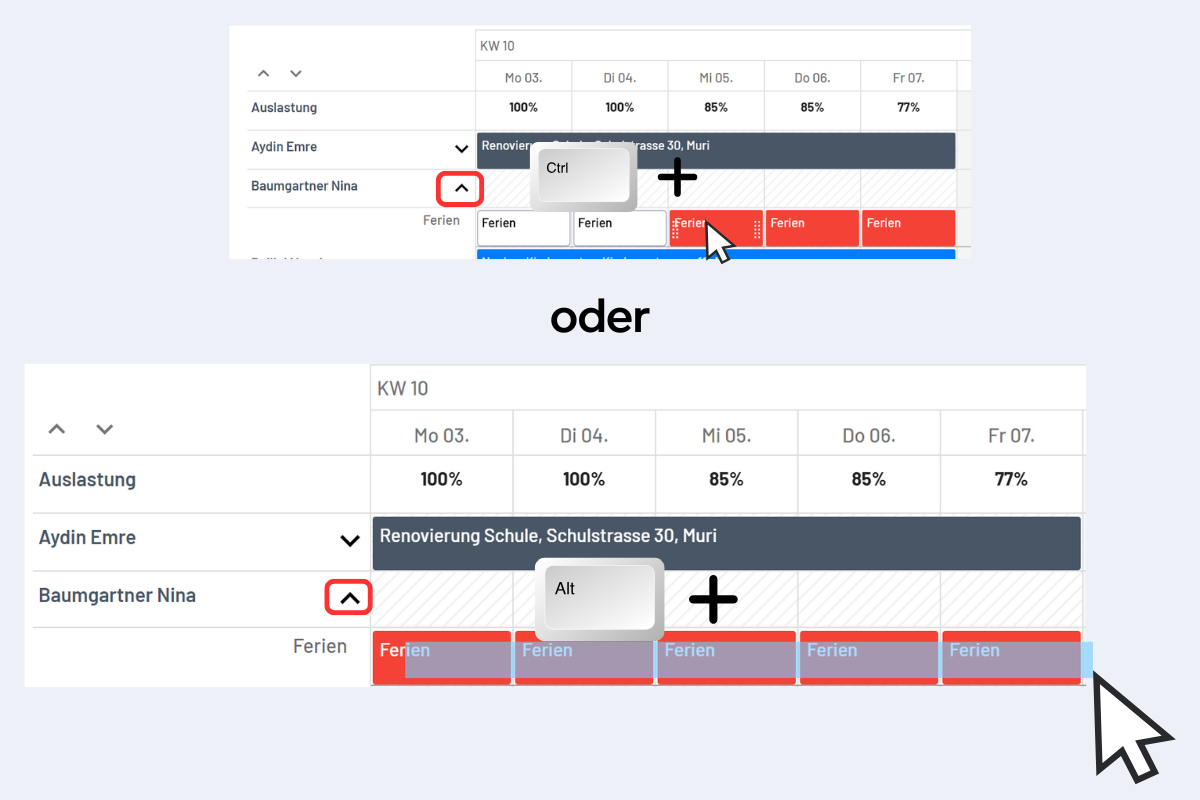
Select bookings (bottom)
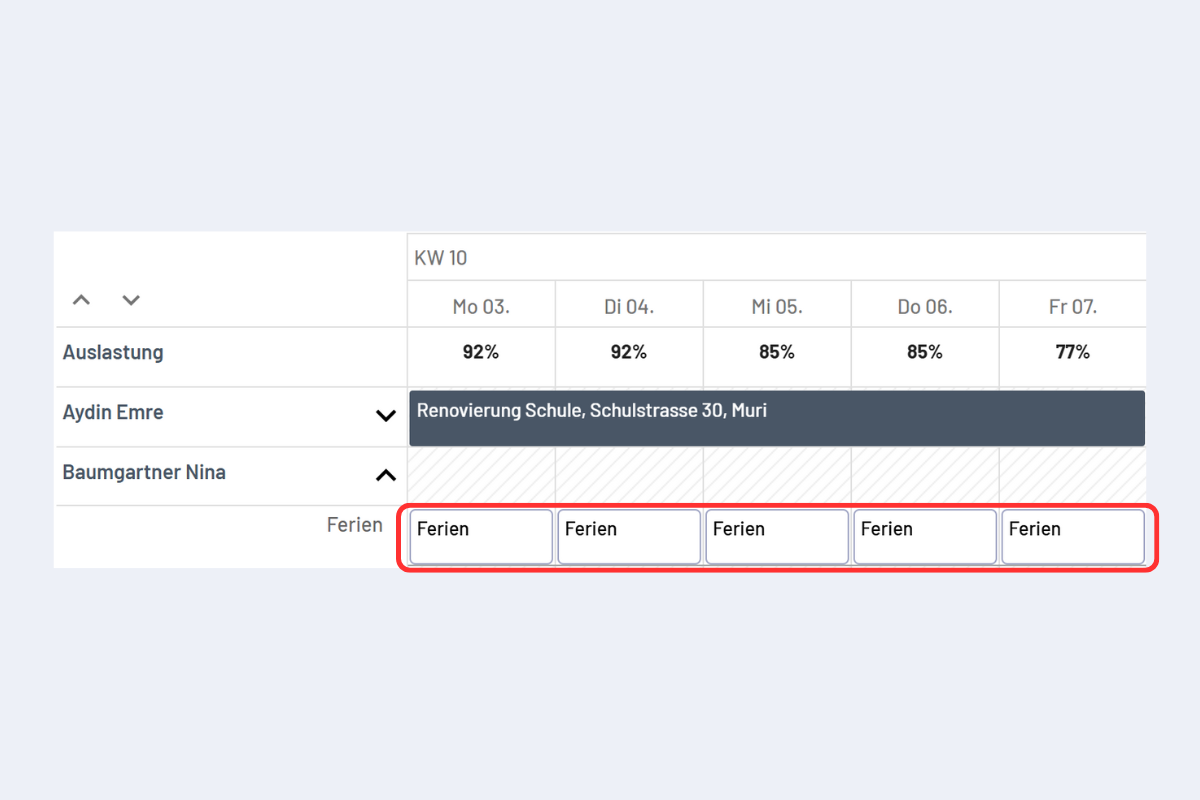
Once the bookings are highlighted in white, you can edit them (see Fig. Selected bookings, highlighted white).
Selected bookings, highlighted white
You can copy or move the selected bookings (more information in the chapter Copy or move bookings).
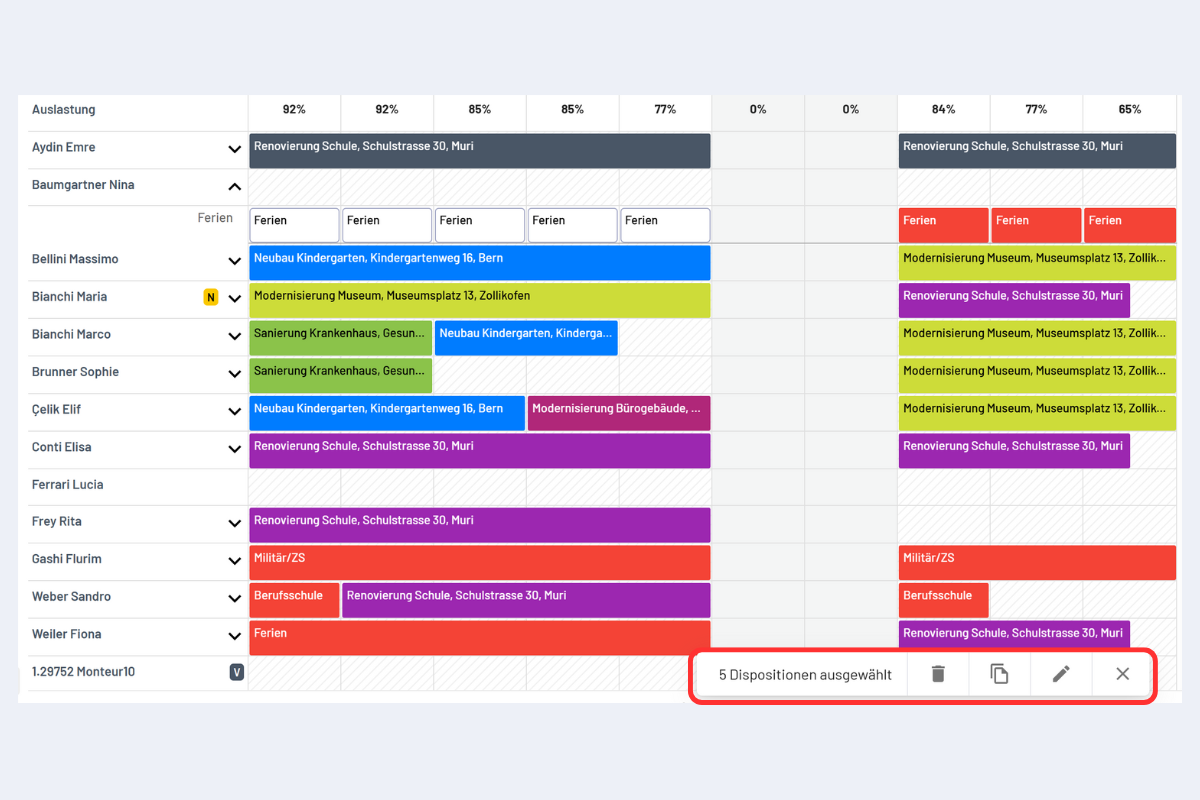
You can also delete or edit all selected bookings with a single click (see Fig. Several bookings selected, options).
Several bookings selected, options