Copy or move bookings
The copy-and-paste function in codeto plan lets you easily copy or cut existing bookings and paste them at another location or for another employee.
Selecting the booking (or several bookings)
The first step, whether copying or moving, is always to select the relevant bookings. We recommend opening the detail view for selection (more on this in the chapter Select multiple bookings). Hold the CTRL key and click the desired booking (see Fig. Select bookings, top), or hold the ALT key and drag a rectangle over the desired bookings with the mouse (see Fig. Select bookings, bottom).
Copying a booking
There are two ways to copy bookings:
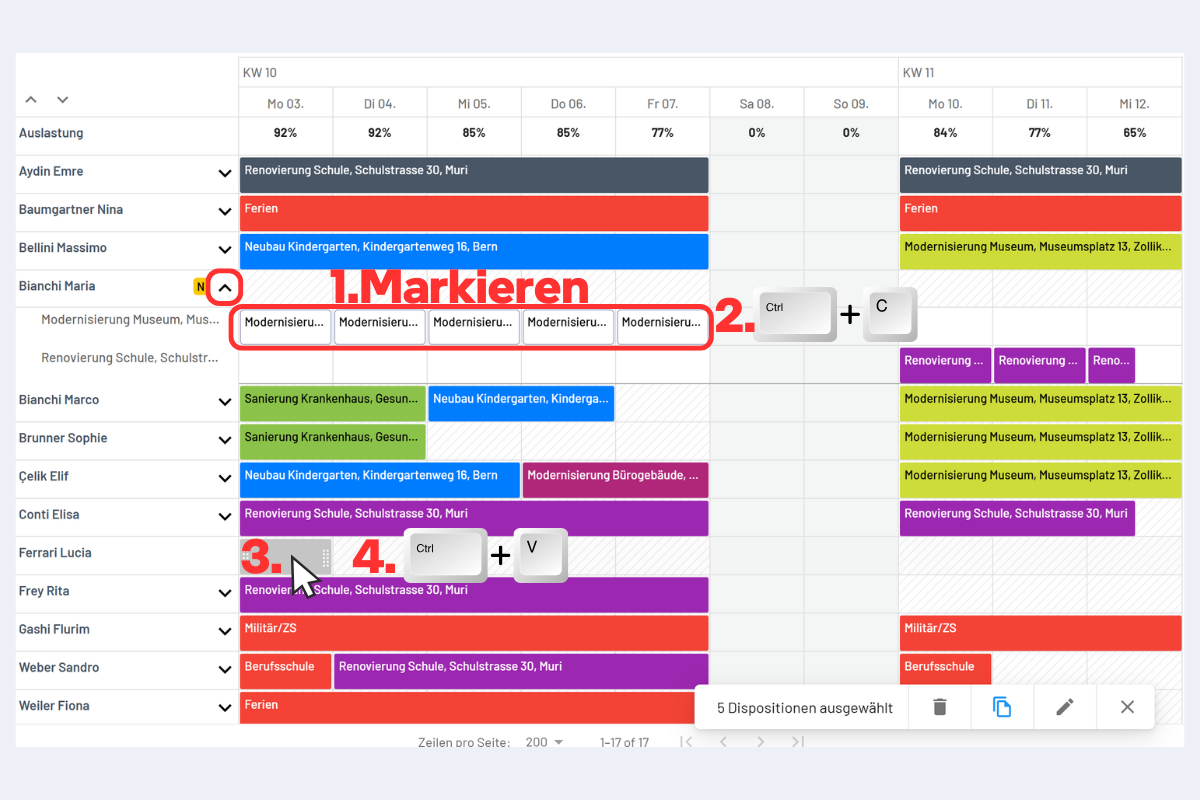
Variant 1 (see Fig. Copy booking variant 1)
- Select the desired booking (or several).
- Copy with CTRL + C.
- Click the target location (it turns grey).
- Paste with CTRL + V.
Copy booking variant 1
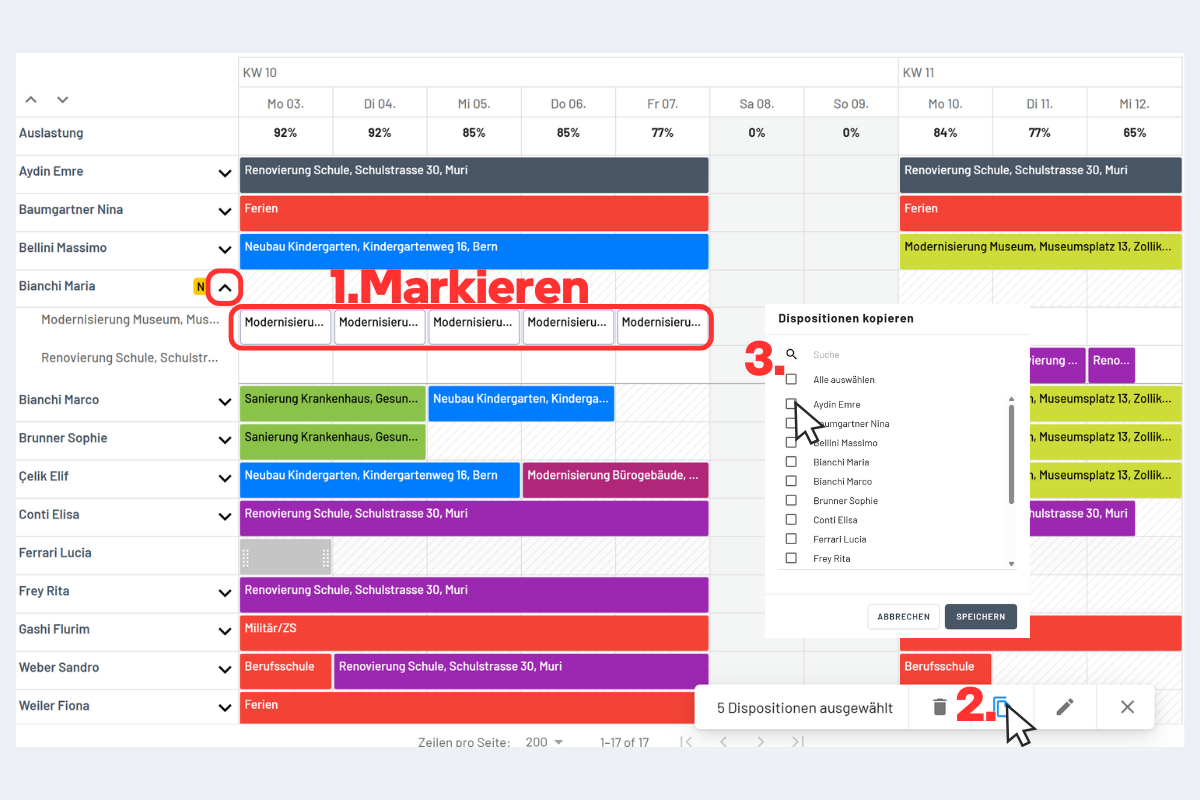
Variant 2 (see Fig. Copy booking variant 2)
- Select the desired booking (or several).
- Click the copy icon in the bottom right.
- Select the desired employee and save.
Copy booking variant 2
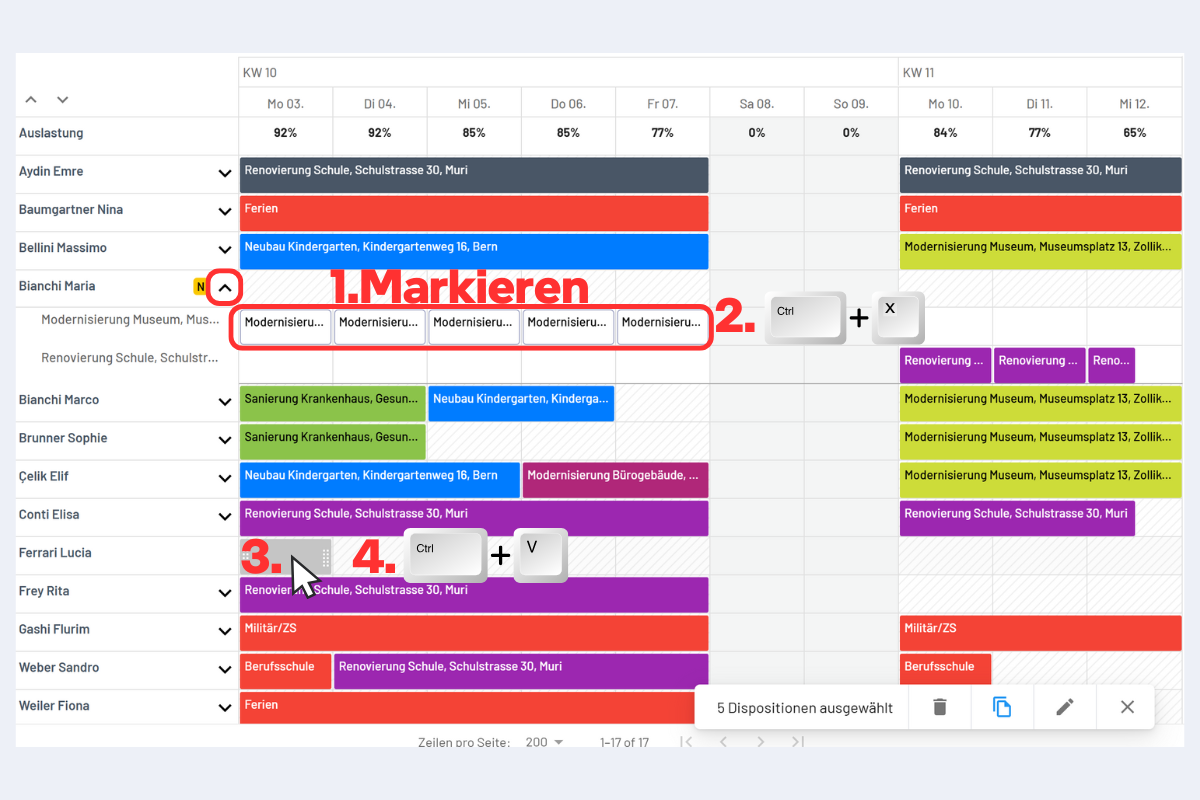
Move a booking to another employee
- Select the desired booking (or several).
- Cut with CTRL + X.
- Click the target location (it turns grey).
- Paste with CTRL + V.
Move a booking on the timeline (same employee)
- Select the desired booking (or several).
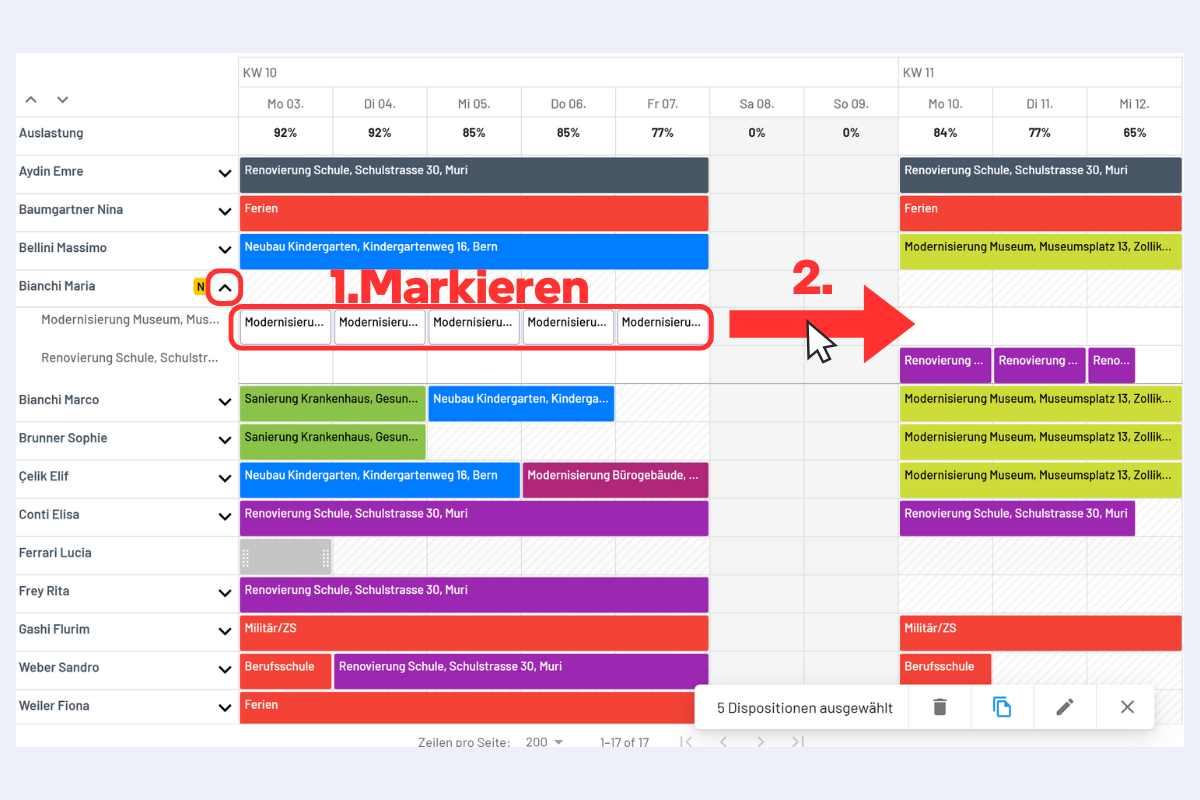
- Drag to the target location with the mouse (left or right).