Project hours overview
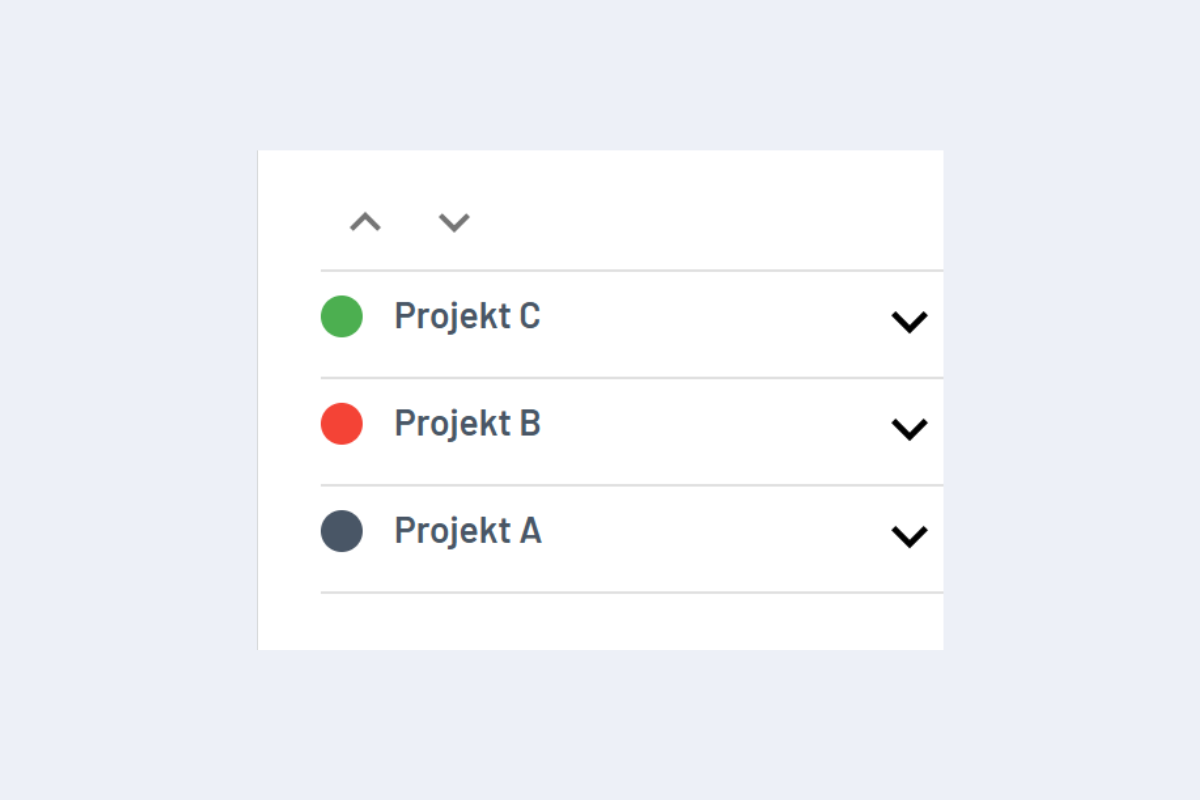
codeto plan compares actual project hours with the forecast. In the Projects view, a coloured dot shows the current status; clicking it opens the detailed overview.
- 🟢 Green: actual hours below the forecast.
- 🔴 Red: actual hours exceed the forecast.
- ⚪ Grey: no forecast stored, no target / actual comparison possible.
Detailed key figures
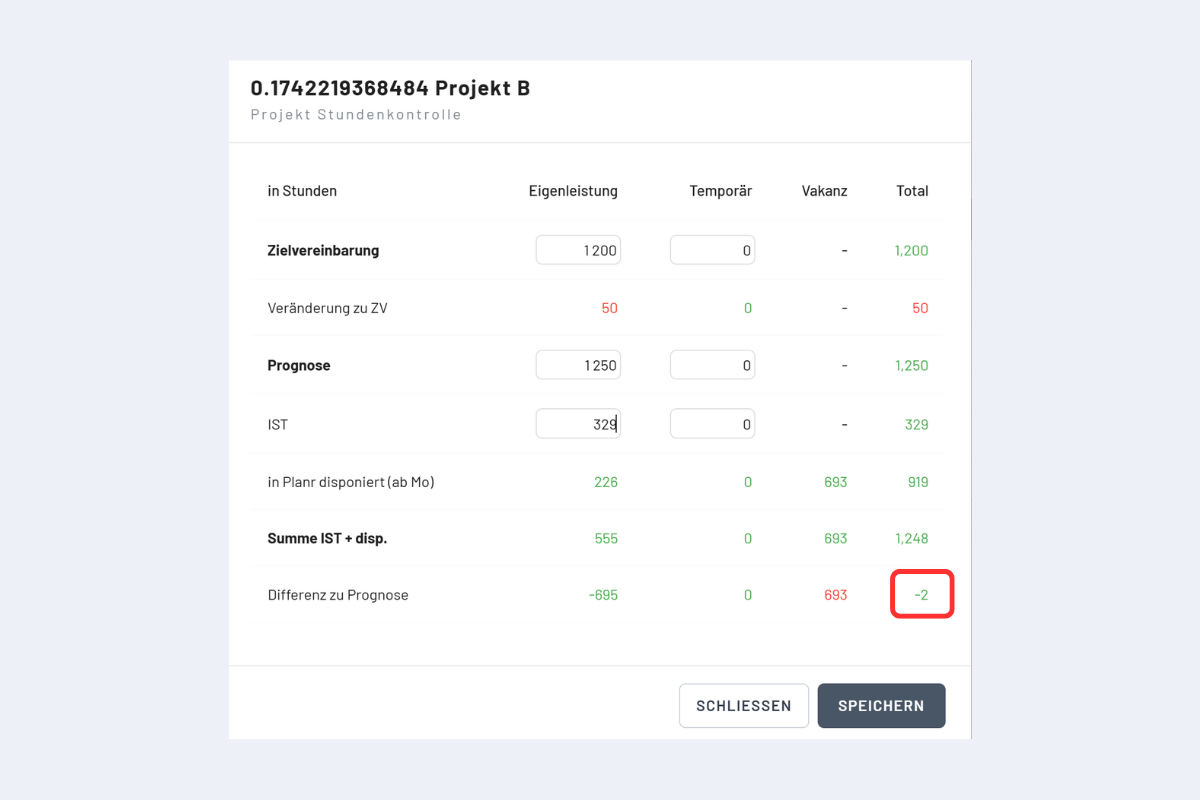
The overview is broken down into own staff, temporary, vacancy and total hours:
- Target agreement (TA): the calculated hours from the target agreement.
- Change vs. TA: difference between forecast and target agreement.
- Forecast: the currently entered forecast hours.
- Actual hours: hours already worked in the past (manually adjustable).
- Booked in codeto plan (from Mon.): booked hours still to be worked from Monday of the current week.
- Sum actual + planned: hours already delivered and planned for the entire project.
- Difference vs. forecast: deviation of actual + planned vs. forecast.
The number framed in red is the relevant figure for controlling project hours.