Show and hide employees
Hidden employees no longer appear in the employee list but remain findable via search.
Hide an employee
- In the employee view, click the employee's name to open the master data window.
- Tick Hide.
- Save.
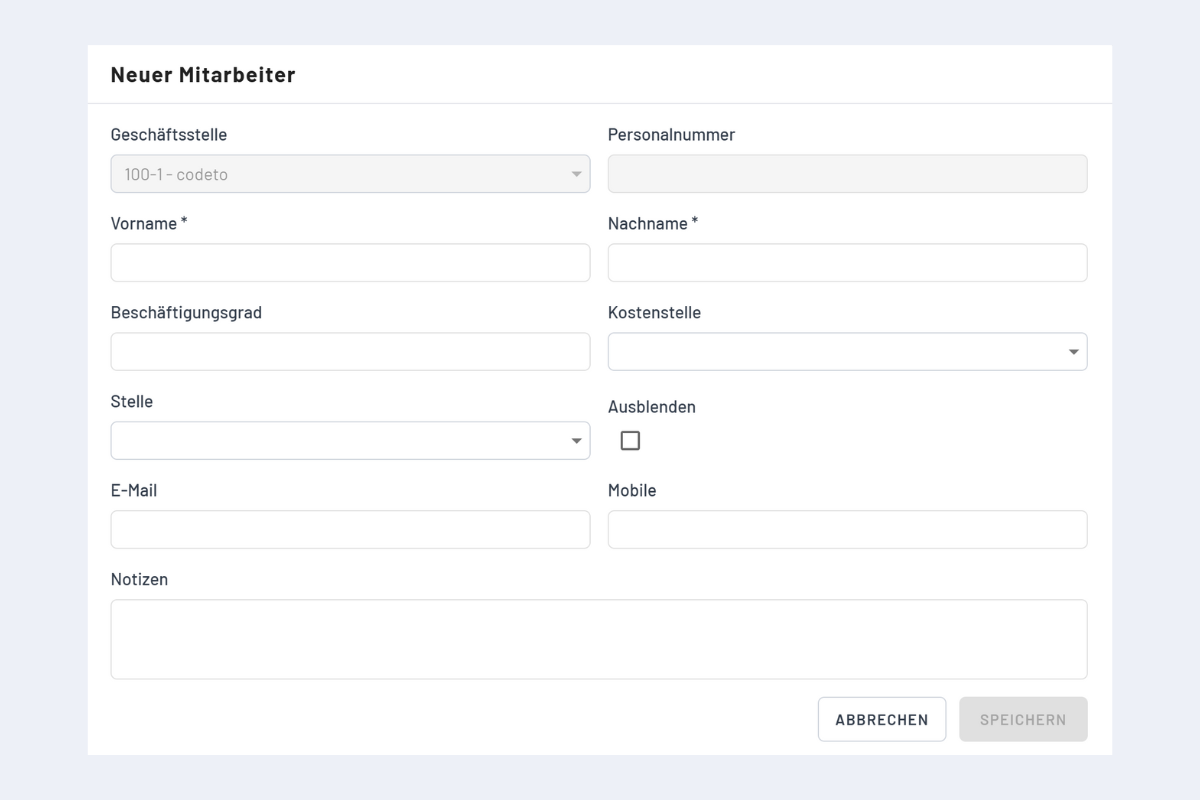
The employee disappears from the list but is preserved with all bookings.
Find hidden employees
Two ways:
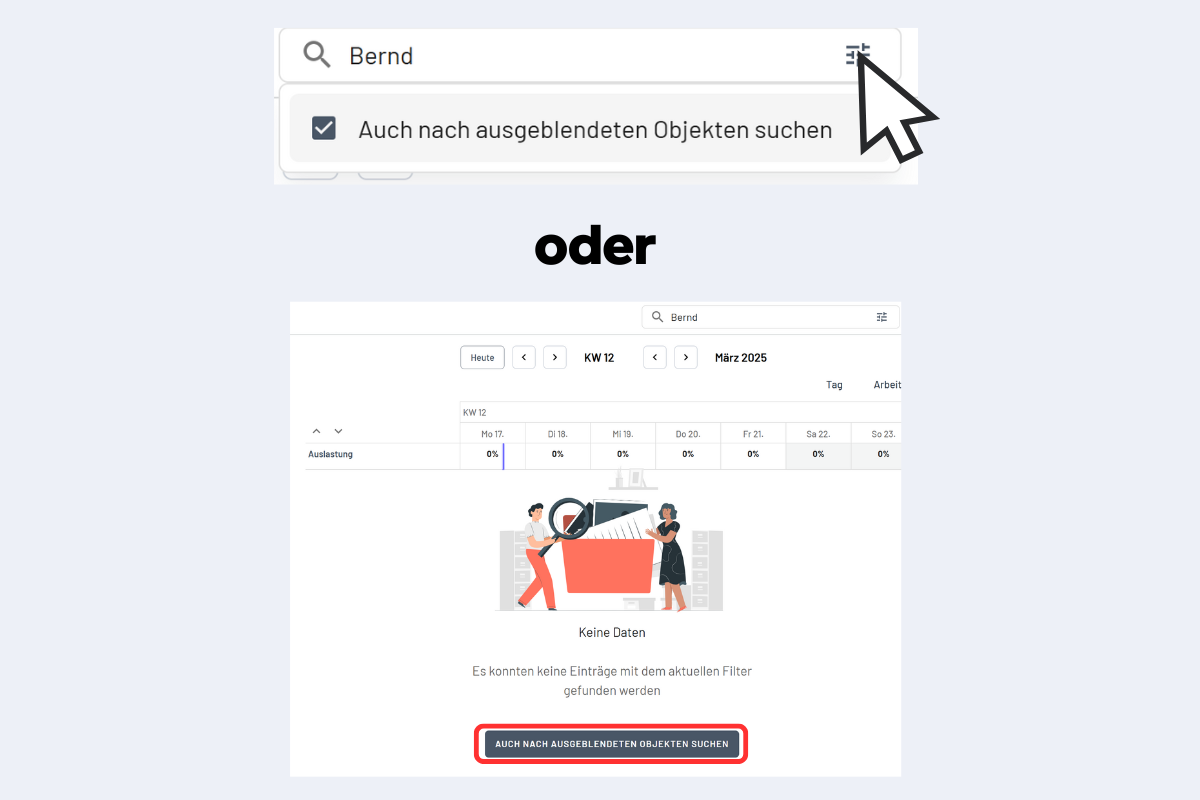
- In the search bar, click the three lines and enable "Also search for hidden objects".
- Or: search normally; if nothing is found, the "Also search for hidden objects" button appears automatically.
Show again
- Find the employee via search.
- Click on the name.
- Untick Hide and save.
The employee reappears in the employee overview.