Info bookings
Info bookings are purely informational entries in the planning. They show what currently applies to a person without blocking them for other assignments. Typical examples are home office or on-call duty.
What makes info bookings special
If the category Info is selected in the booking dialog, the Disposition rate is automatically set to 0%. This has two effects:
- No double booking warning: normal project or service bookings can be placed on top of an info booking without a double booking being reported.
- No utilization: at 0%, the info booking does not count towards utilization.
If the disposition rate of an info booking is increased, it counts like a normal booking: it is included in utilization, and overlapping bookings can trigger a double booking warning.
Display in the planning
Bookings with a disposition rate of 0% have a hatched stripe at the bottom edge of the bar. This makes an info booking easy to recognise at a glance, even when normal bookings lie on top of it.
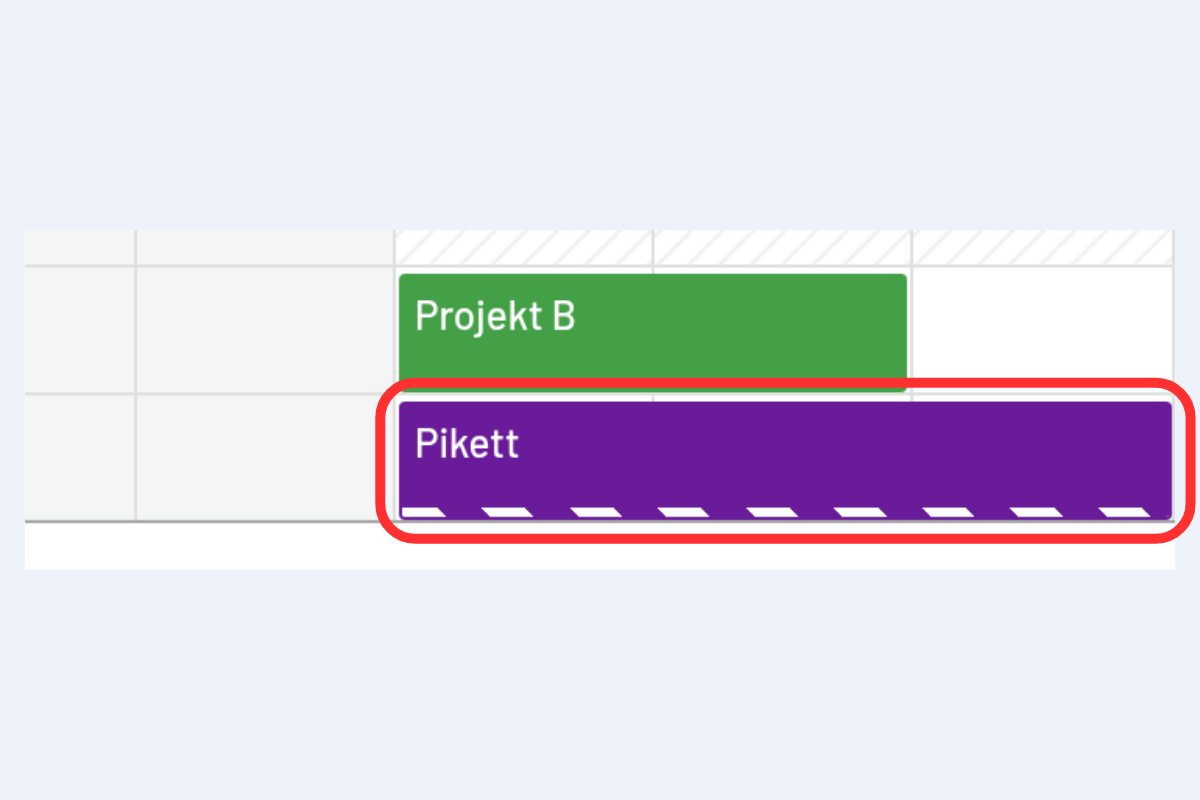
Example: on-call duty
A person is on call this week and at the same time works normally on projects.
- For the on-call week, create an info booking Pikett with a disposition rate of 0%.
- Book the project assignments on top of it as usual.
In the planning, you can then see at a glance who is on call, without the project bookings counting as double bookings. Recurring on-call weeks can be created as a recurring entry.
Create an info booking
An info booking is created like any other booking, see Create a new booking in the Employees view. In the booking dialog, select the category Info. The disposition rate then switches to 0.
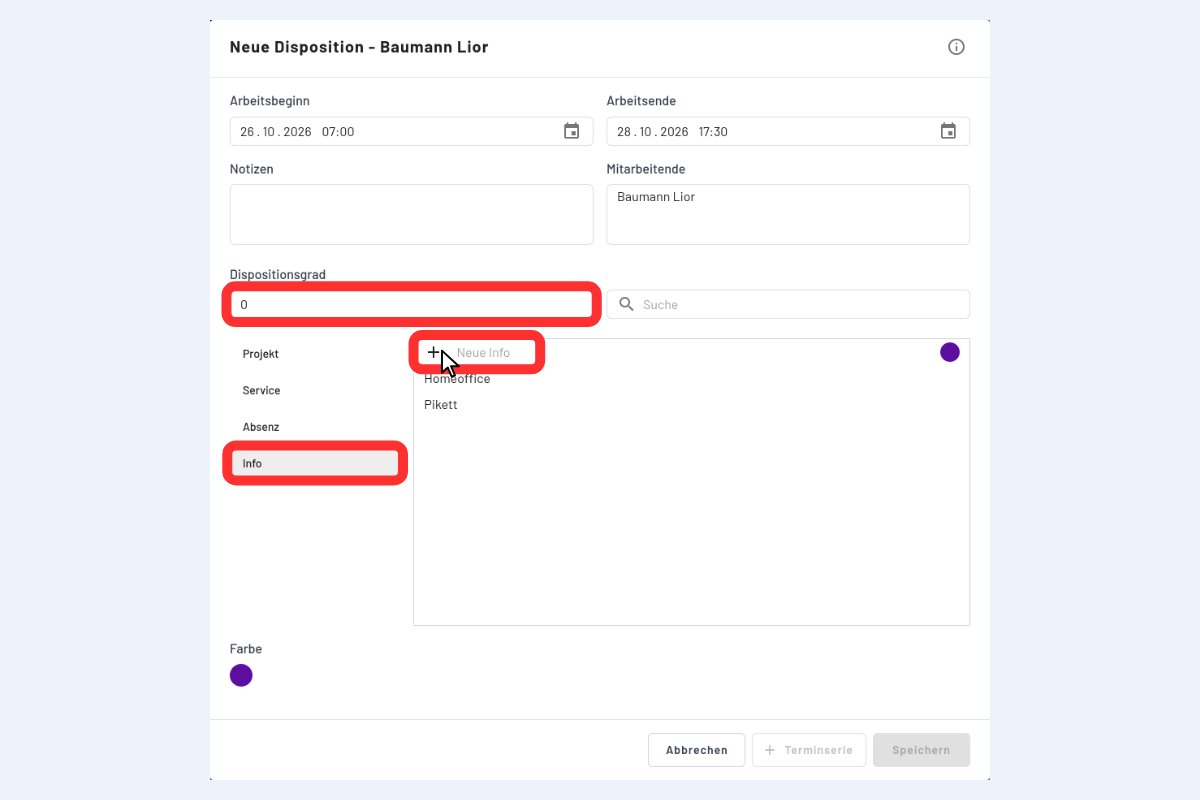
- The first time: the info you need, for example "Pikett", does not exist yet. Type the name under New info and create it via the plus symbol (+).
- After that: once created, the info is available in the list for all further info bookings, for example "Homeoffice" and "Pikett". More infos can be added at any time via the plus symbol.
The default colour for info bookings is set in the office settings and can be adjusted per booking.