Create a new filter
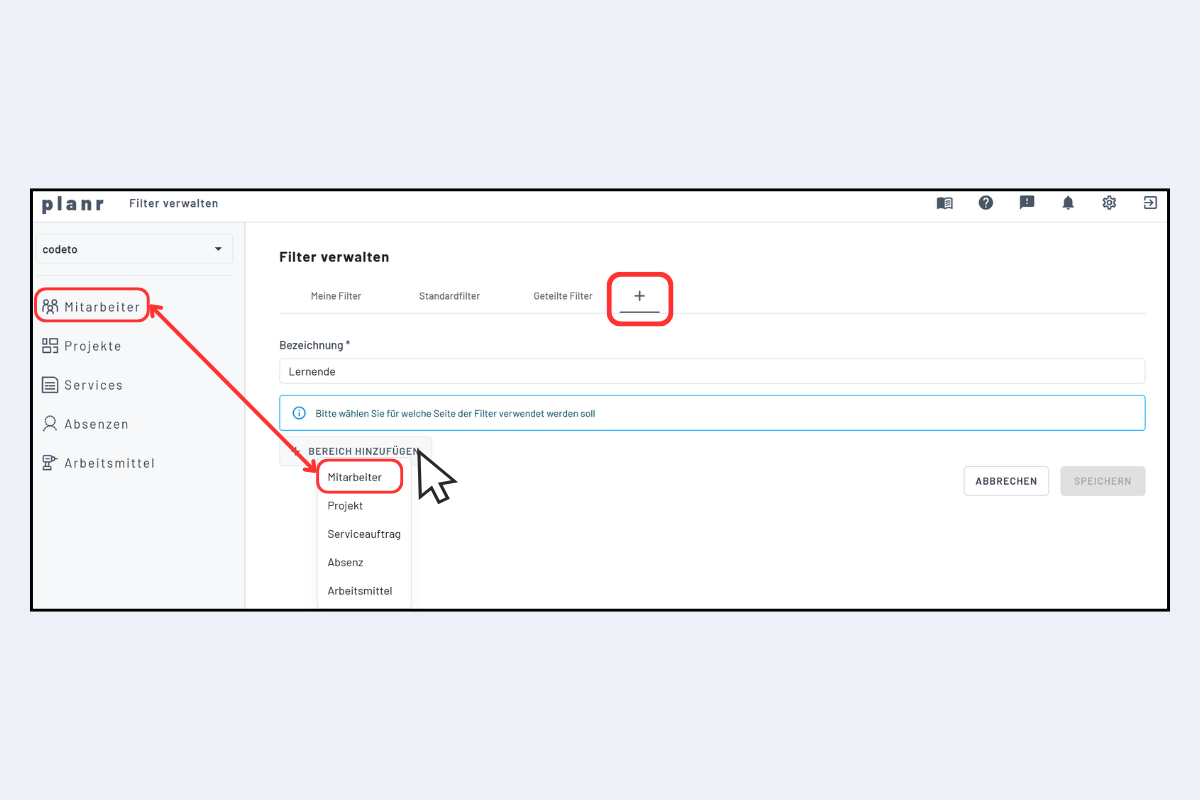
Use the plus icon to add a new filter. Creation is in four steps:
1. Name and scope
- Name: displayed later in the filter menu.
- Scope: refers to the view (Employees, Projects, Service, Absences, Work equipment). In the example, "Employees".
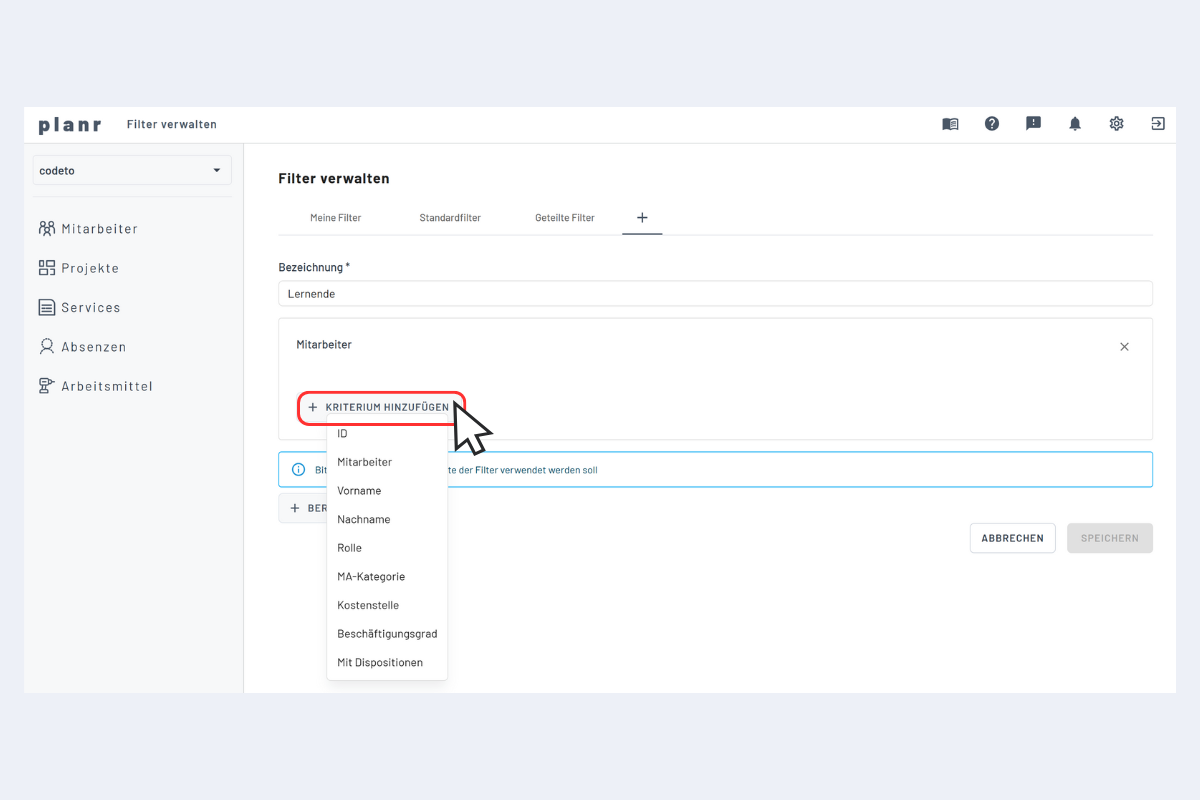
2. Add a criterion
Choose the criterion to filter by (e.g. role, to filter for apprentices).
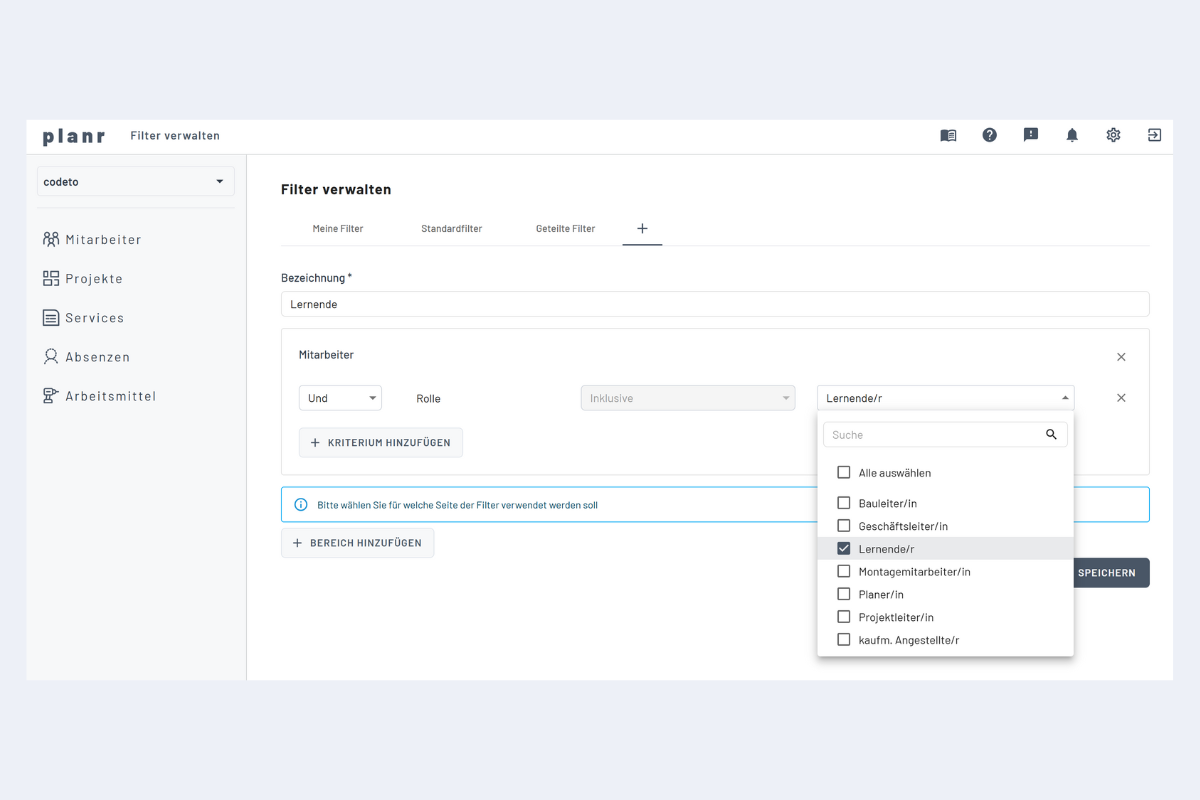
3. Specify the criterion
Refine the criterion (in the example: "Apprentices").
4. Combine across stages (optional)
Several scopes and criteria can be linked with AND / OR, e.g. apprentices working on project A.
Project managers in the filter
Project managers only appear in the filter list once at least one project is assigned to them.