Create and sort a team filter
Create a filter for a team with scope Employees, criterion Employee and a selection of the people you want.
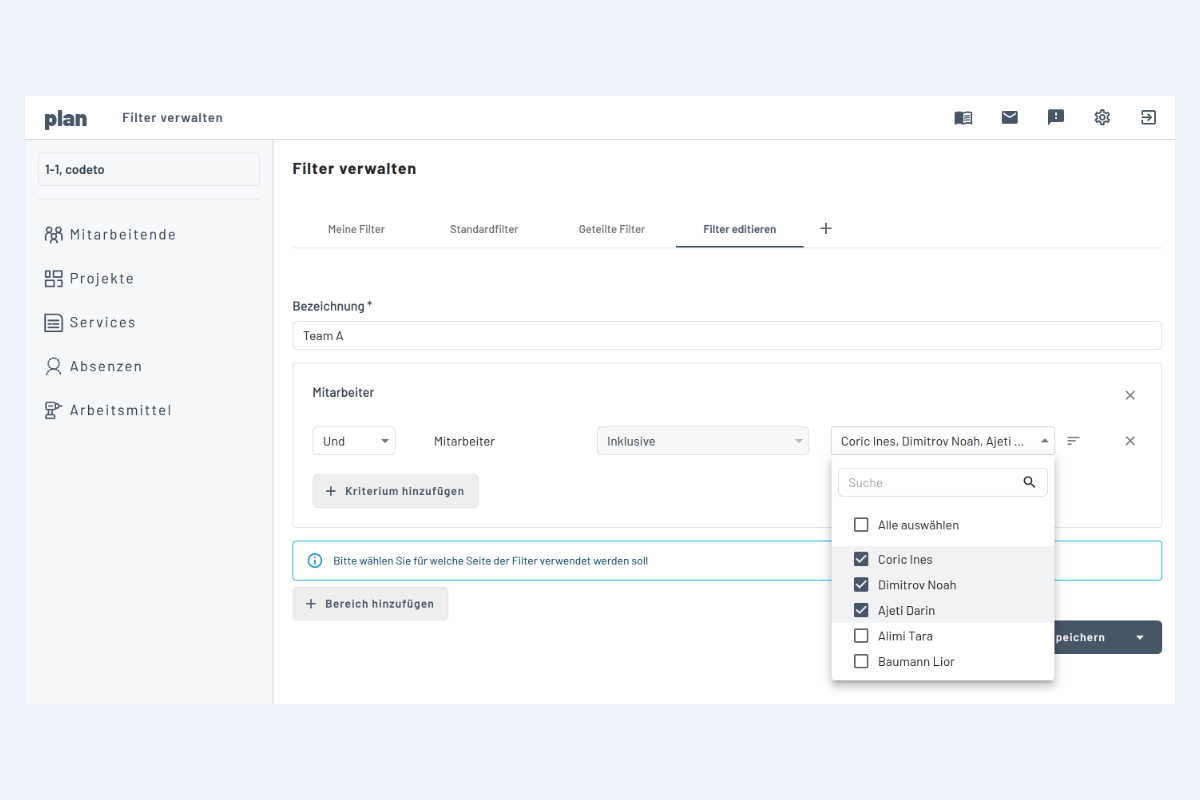
Someone who is newly created does not end up in the team filter on their own, neither when created manually nor through the interface. The person has to be added to the filter manually, otherwise they do not appear while the filter is active.
Sorting
- The order you set manually is preserved while the filter is active.
- Use the A/Z icon to sort alphabetically, ascending (A→Z) or descending (Z→A). Sorting is based on last names.
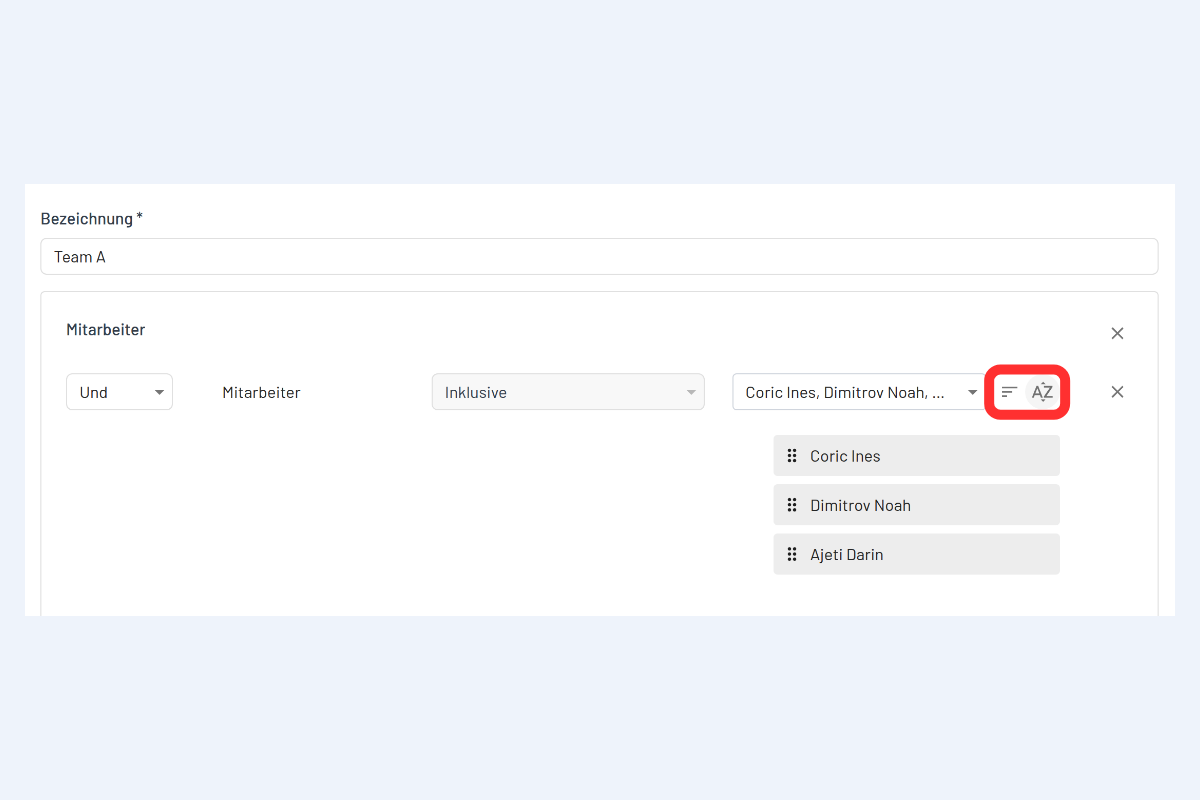
Grouping is not possible
A filter always shows a single list. Several blocks below one another, each sorted on its own, cannot be represented. So it is not possible to show your own employees sorted by last name ascending at the top and the temporary employees, also sorted by last name ascending, below them. Sorting always applies to the entire selection, regardless of function or role.
The order can be steered through the last name. If a Z followed by a space is placed in front of the last name of all temporary employees, they appear together at the end of the list when sorting ascending.