Projects
Generate PDF extracts per project. Project managers and supervisors see the projects they are responsible for here.
Period and scope
- Period: set the desired period at the top.
- Scope:
- All hours
- Only approved hours (exclusively fully approved entries).
Select projects
- All projects: create an extract for all projects visible to you.
- Selected projects: select one or more specific projects.
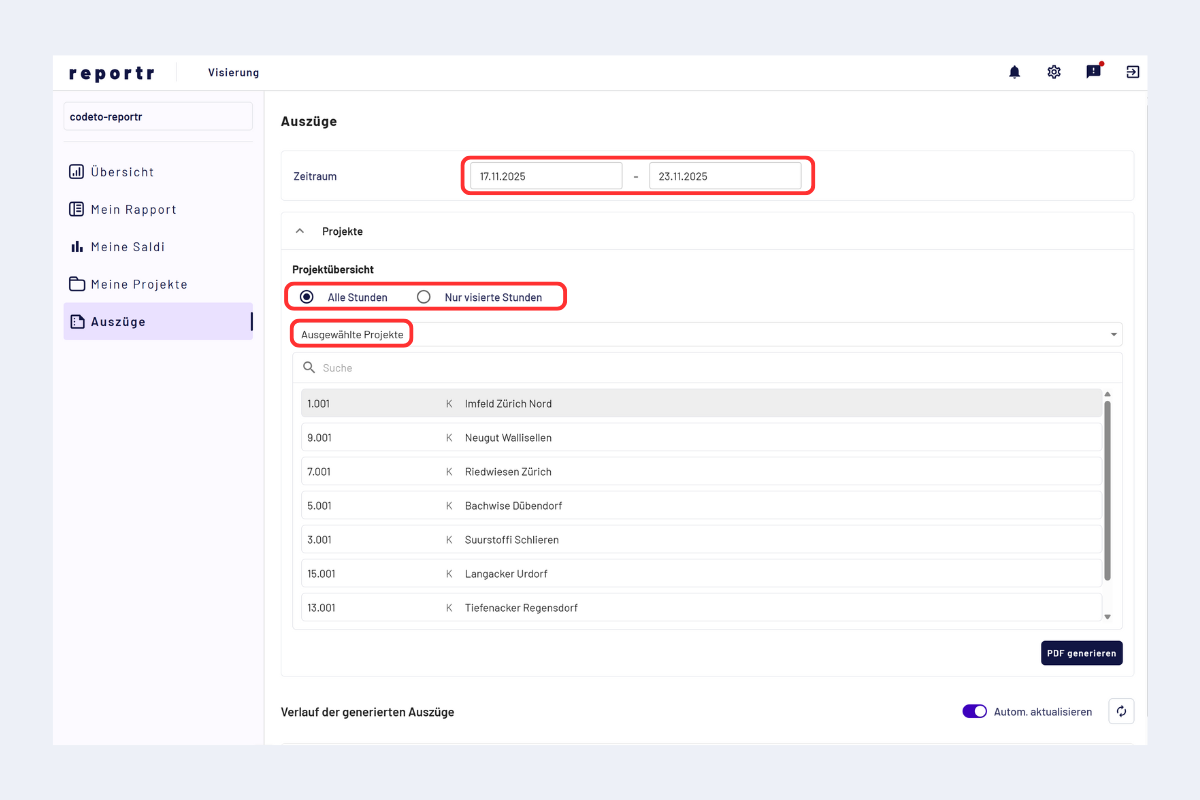
Project extract, period, selection and options
Generate and retrieve PDF
- Click "Generate PDF".
- Creation takes a moment.
- The PDF is available in the lower part of the page in the history of generated extracts.
Storage period
Generated PDFs remain stored for 7 days and are then automatically deleted.