Absence requests
Some absences, for example holidays, are not reported directly but requested first. The responsible person approves or rejects the request. Which absence types need a request is set per absence type, see Set up absence requests.
If a company has no absence type set up for requests, the menu items for absence requests do not appear. Absences are then reported directly in the calendar as before.
How a request works
- The employee submits a request under "My absences", on the web or in the mobile app.
- In the calendar under "My reports", entries for the requested period are created automatically, with the status "Requested". They cannot be changed there.
- The responsible person approves or rejects the request.
- After approval, the request becomes a report.
- The week is completed as usual. The report goes through the approval process like any other.
Status of a request
| Status | Meaning |
|---|---|
| Requested | The request is waiting for a decision. |
| Approved | The request has been granted and became a report. |
| Rejected | The request was rejected with a reason. |
| Cancelled | The request was withdrawn. |
Request in the calendar
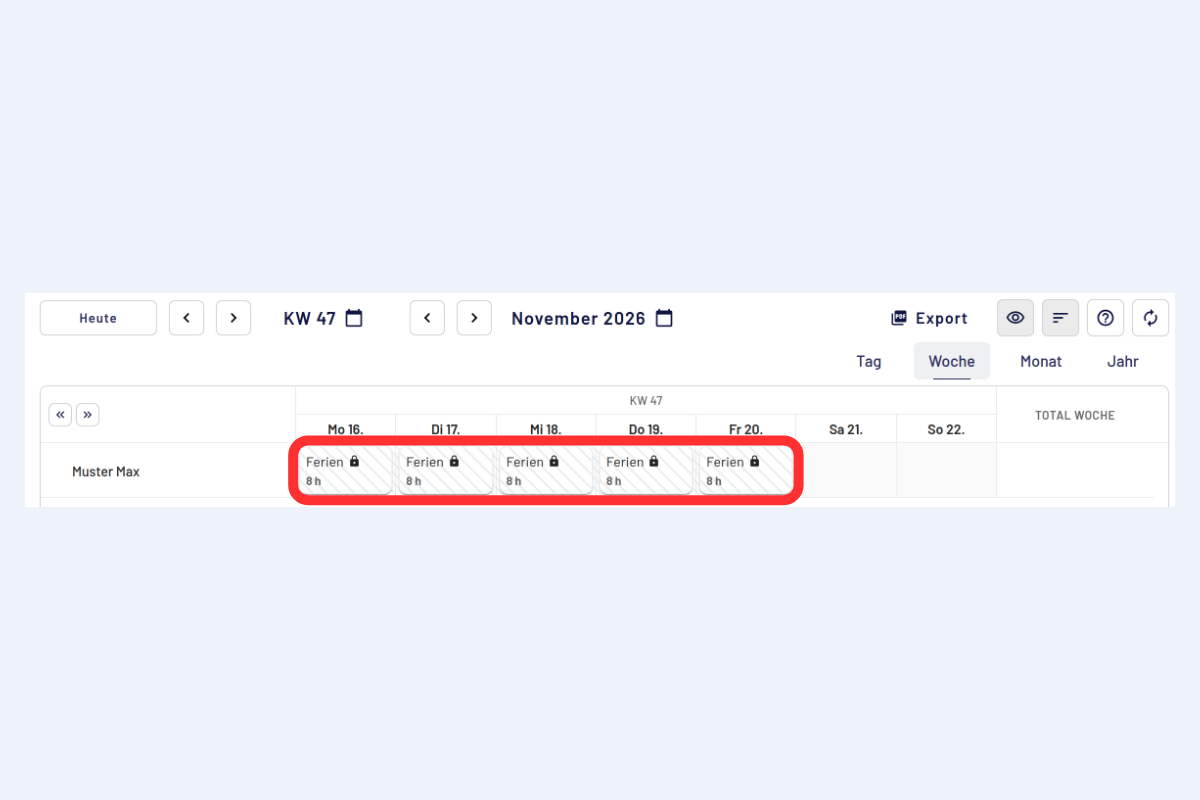
Calendar means the week view under "My reports", where hours are reported. As soon as a request is submitted, codeto report automatically creates an entry there for each requested day, for example "Holiday 8 h".
As long as the request is pending, these entries are hatched and locked with a padlock. Nothing else can be reported for the same period. The request can be changed or cancelled under "My absences", see Change or cancel a request.
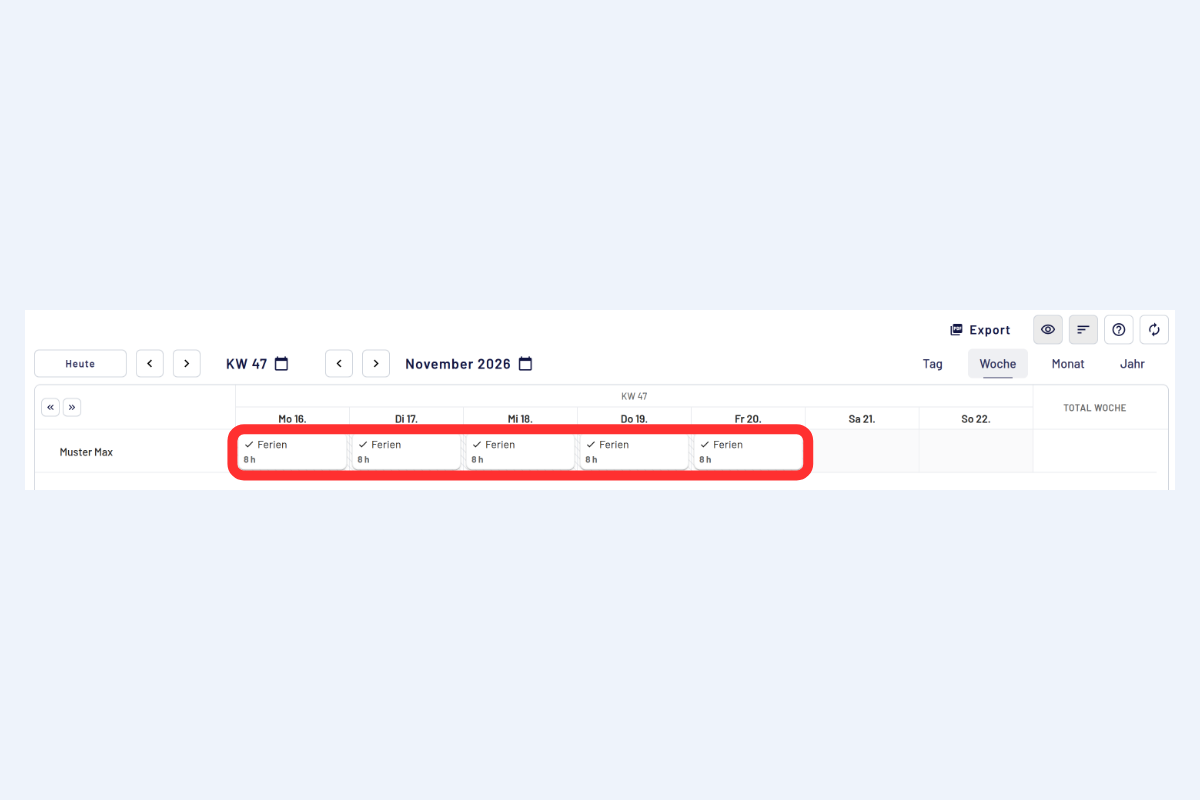
After approval, the report replaces the request. In the calendar, the report is then no longer hatched and shows a check mark in front of the absence name. The legend explains both markings.
Request and balance
A pending request does not yet reduce the displayed balance. The balance only goes down once the request is approved. How many hours are currently requested is shown at the top of "My absences". More about balances under Balances.
Request and week completion
As long as a request is pending for a week, that week cannot be completed. The request must first be approved, rejected or cancelled, see Week closure and locking.
Next
- Request an absence, for employees
- Approve requests, for supervisors
- Set up absence requests, for super users
- Questions and special cases