Employees
Generate PDF extracts per person. Supervisors see the employees they are responsible for here.
Also a project manager?
Often a supervisor is also a project manager. Additional project extracts are available under Projects.
Period and scope
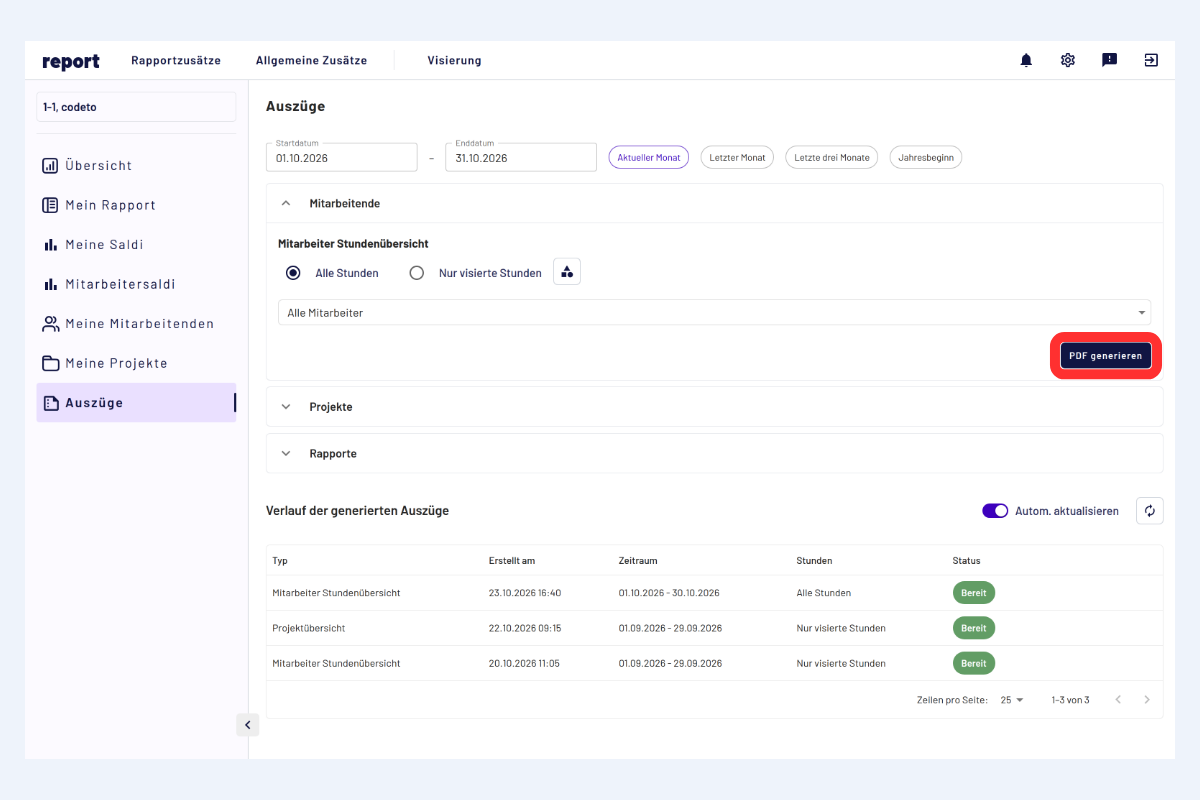
Employee extracts, period, selection and options
The fields are listed in the order they appear in the view, from top to bottom and from left to right.
- Period: set the desired period at the top.
- Scope:
- All hours
- Only approved hours (exclusively fully approved entries that have gone through the entire approval process).
Select employees
- All employees: create an extract for all persons assigned to you.
- Selected employees: choose "Selected employees" in the selection field. A list with search appears below it, click one or more persons there.
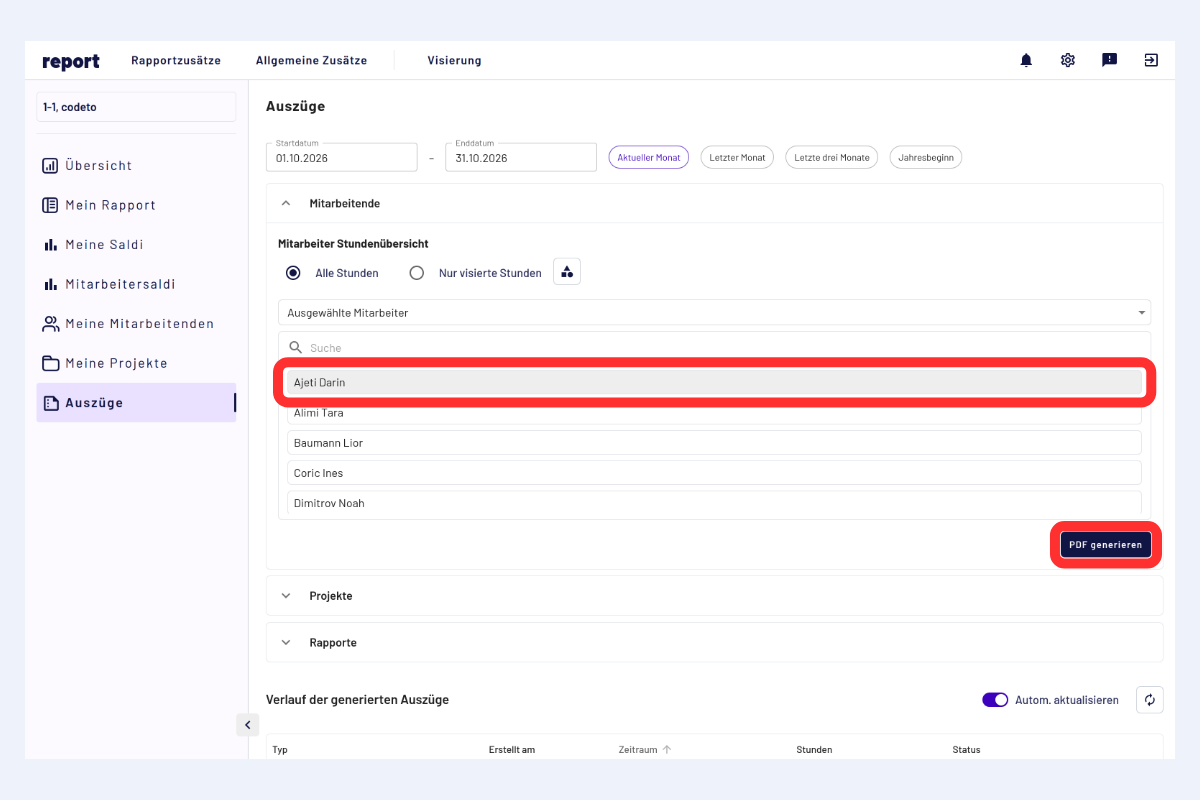
Employee extract for a selected person (Ajeti Darin)
Generate and retrieve PDF
- Click "Generate PDF".
- Creation takes a moment.
- The PDF is available in the lower part of the page in the history of generated extracts.
Storage period
Generated PDFs remain stored for 7 days and are then automatically deleted.