Approve as admin
In exceptional cases, admins can approve or reject reports and weeks on behalf of the regular approval bodies. This is helpful for short-term absences (illness, holidays, other absence). Every intervention is recorded in the audit log with timestamp and user.
Approve or reject on behalf
- Approve individual days or blocks: click the green check.
- Reject individual days or blocks: click the red cross (reason required).
- Approve all / reject all: at the bottom right for the whole week.
"Approve all" jumps one approval level forward
With "Approve all", all reports of the week move to the next higher level according to the approval structure. Example: holidays lie with the office, project hours with the project manager. After "Approve all", both go to the next level.
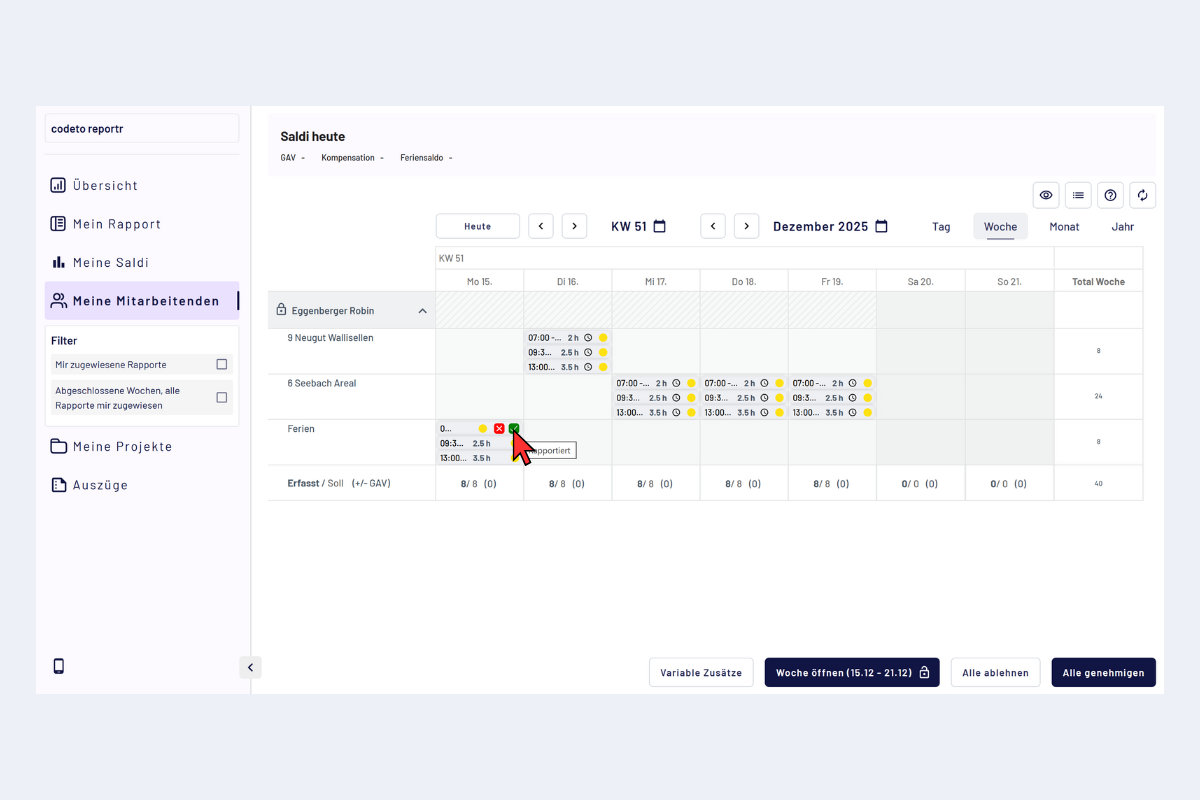
Admin, approve/reject reports or approve all
Reopen closed weeks
With "Open week", closed weeks can be reactivated.
- Deleting or editing reports is only possible in open weeks.
- Opening does not mean that reports automatically go back to the employee; that only happens on rejection.
- Already approved reports can in exceptional cases be adjusted after opening, without having to restart the entire approval process.
- After the adjustments, close the week again.
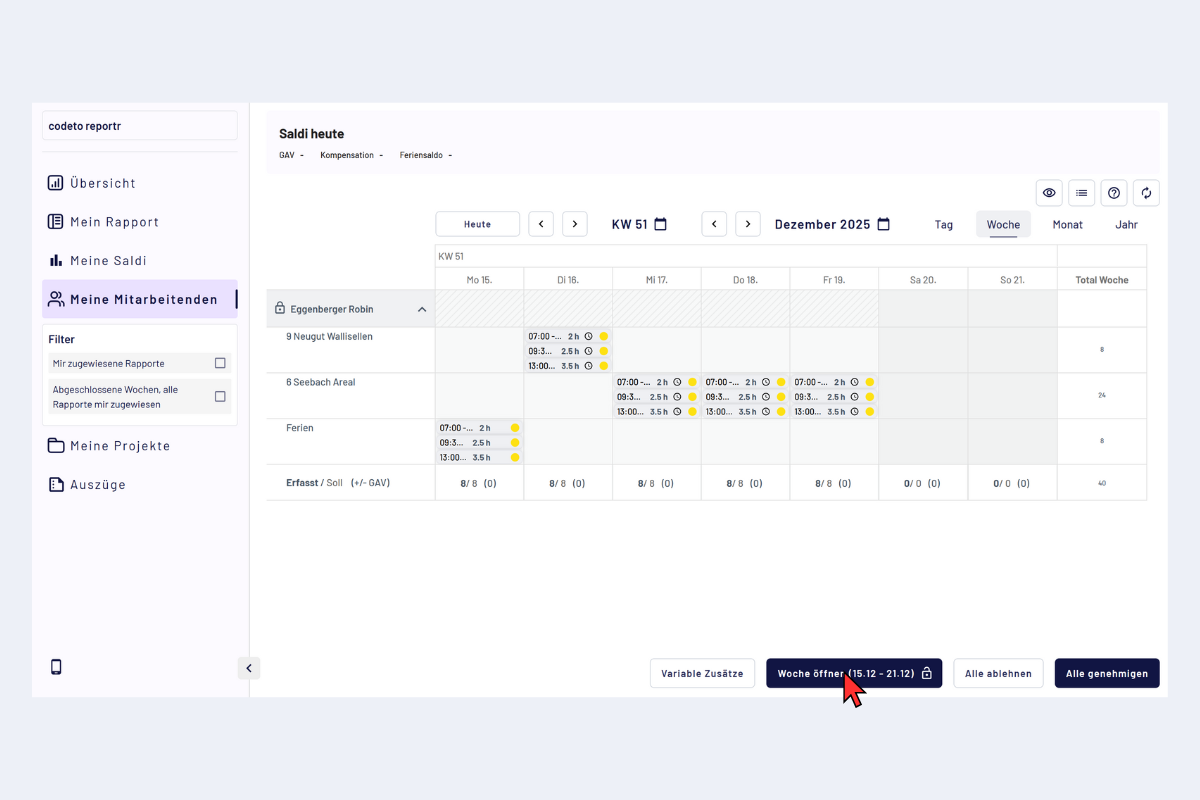
Admin, open week, edit/delete reports