Check and add general additions
General additions are tied to the employee contract, not to a project. This chapter is about the check during the approval process; the management and logic are described in the chapter General additions (employee-related).
General additions in the week view
At the bottom of the week view, the indicator "General additions" appears with a number. This number shows how many general additions have automatically applied or been added manually in this week.
Example daily allowance: employees receive an allowance of CHF 15 as soon as they have worked more than 7 h per day. The allowance is set automatically as soon as the condition is met.
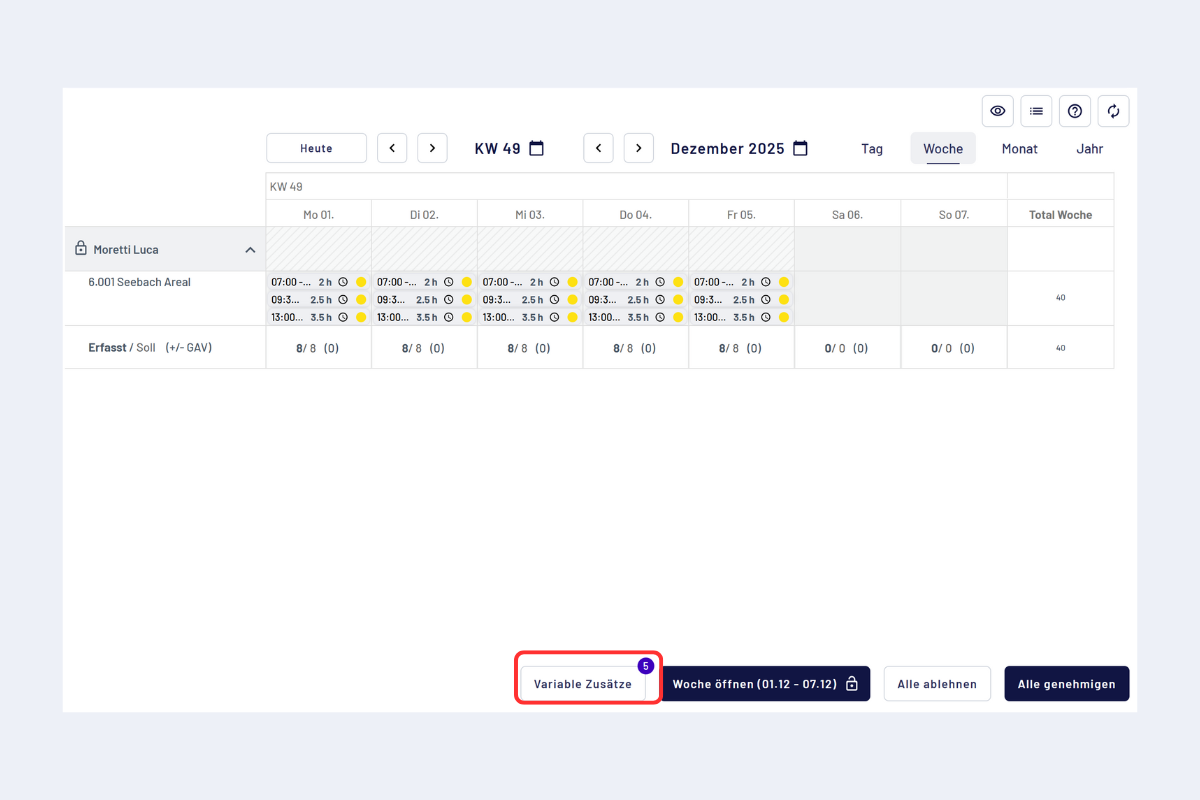
Check general additions
Edit or add
A click on "General additions" opens the pop-up. There you can:
- Adjust value and date
- Capture notes
- Upload receipts or attachments
- Add further general additions
Only the general additions predefined by the admin are available for selection; free entries are not possible.
If a compensation is due for an on-call duty regardless of whether an assignment took place, it can be entered here as a general addition for an entire week. Adding is currently only possible for supervisors, not for project managers.
All actions appear in the circulation log.
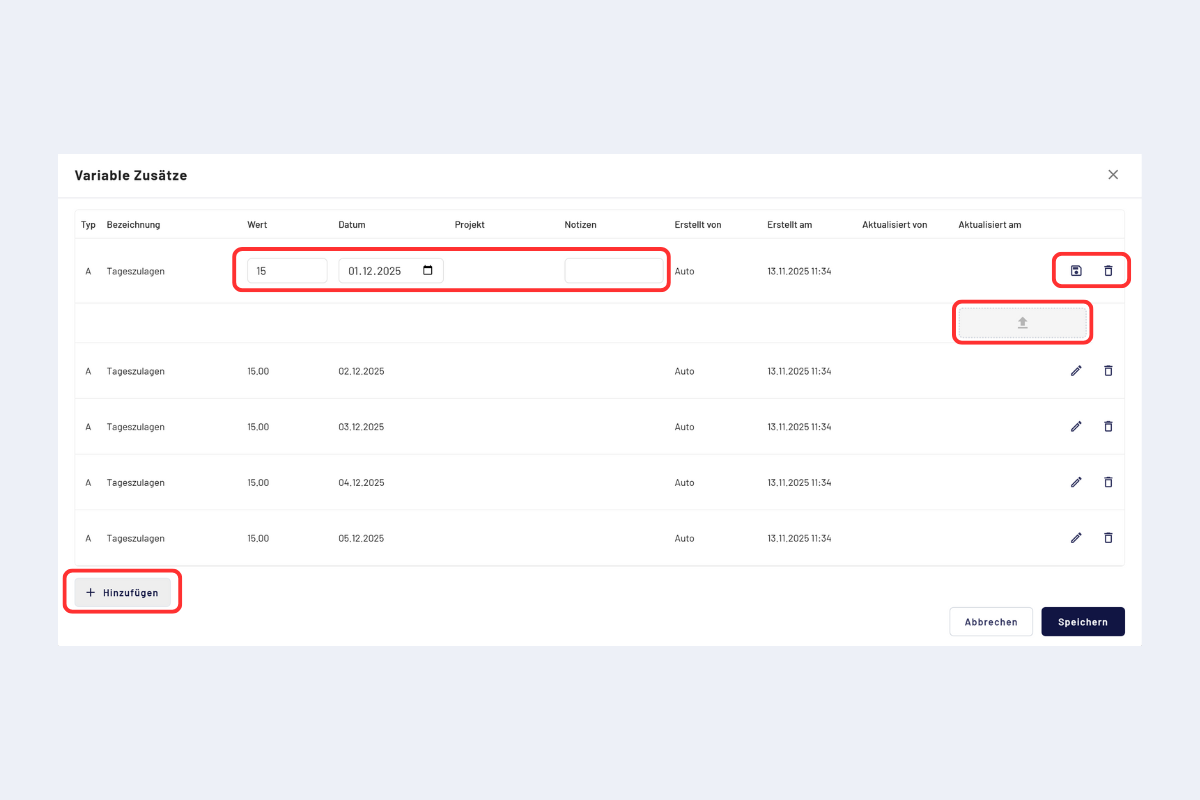
General additions, edit
Switch period
In the dialog you can switch at the top right between week and month. The week view is suitable for checking individual periods, the month view for comparison or for the consolidated check over a larger period.
The last screenshot does not yet show the week / month switch. However, it is available in the dialog at the top right.