Forward reports
Forwarded reports go to the next person in the approval structure.
With "Forward", individual days can already be sent for review during the week, without having to close the entire week. This helps project managers and supervisors keep an ongoing overview.
Forwarding is available exclusively in the day view and applies to a single day at a time. In the week view, the function is not available.
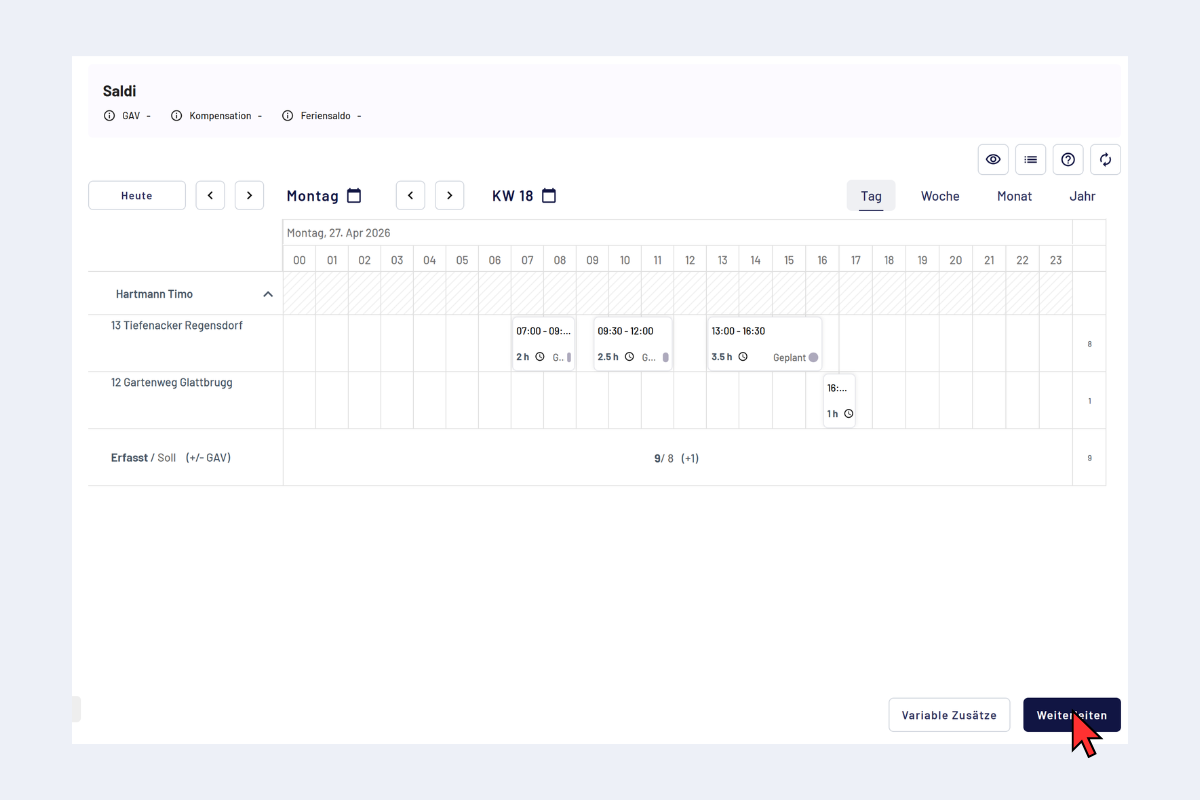
Forward reports, day view
When forwarding, only the currently opened day is handed over. The remaining days of the week stay untouched and can be forwarded separately later or submitted together with the week closure.
Process
- Enter the report.
- Click "Forward".
- The status changes to "Reported". The entry takes on the color of the stage in the approval structure on which it now sits (see Status and approval stage).
After forwarding, the report is locked for employees.
After forwarding
- Recipient: can edit, delete or reject the report with a reason. Approving is only possible after the week closure.
- In case of rejection: the original creator adjusts the report and forwards it again or closes the entire week.
A forwarded report appears with a lock icon in the color of the current stage. A click opens the pop-up; in the "Assigned" field it is visible to whom the report is currently assigned.
Here, the lock refers to the individual report. The other days of the week can still be open and editable as long as the week has not been closed.
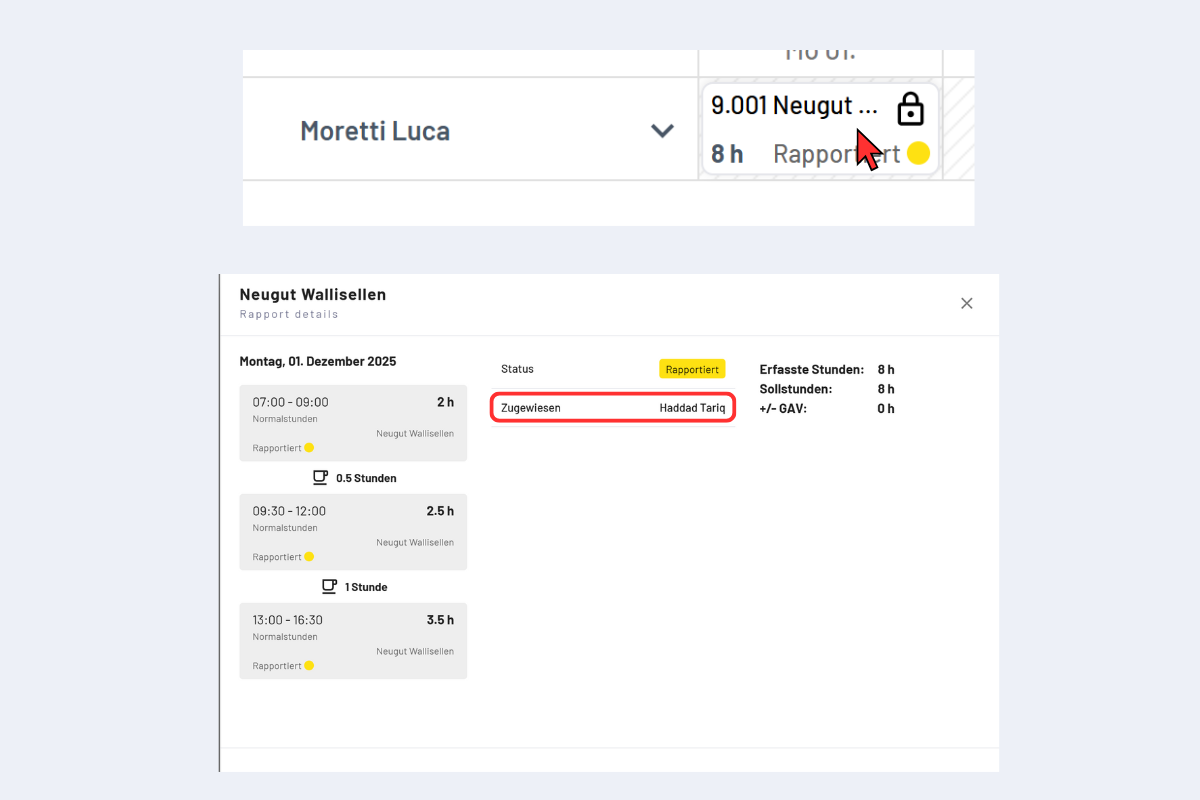
Forward reports, Assigned to