Deputy
For a defined period, reports are automatically forwarded to a deputy. Users can set up a deputy for themselves; admins can also do this for other persons.
Set up a deputy
- In the quick access click "Approval".
- Open the "Manage deputies" tab.
- Click "Add new deputy".
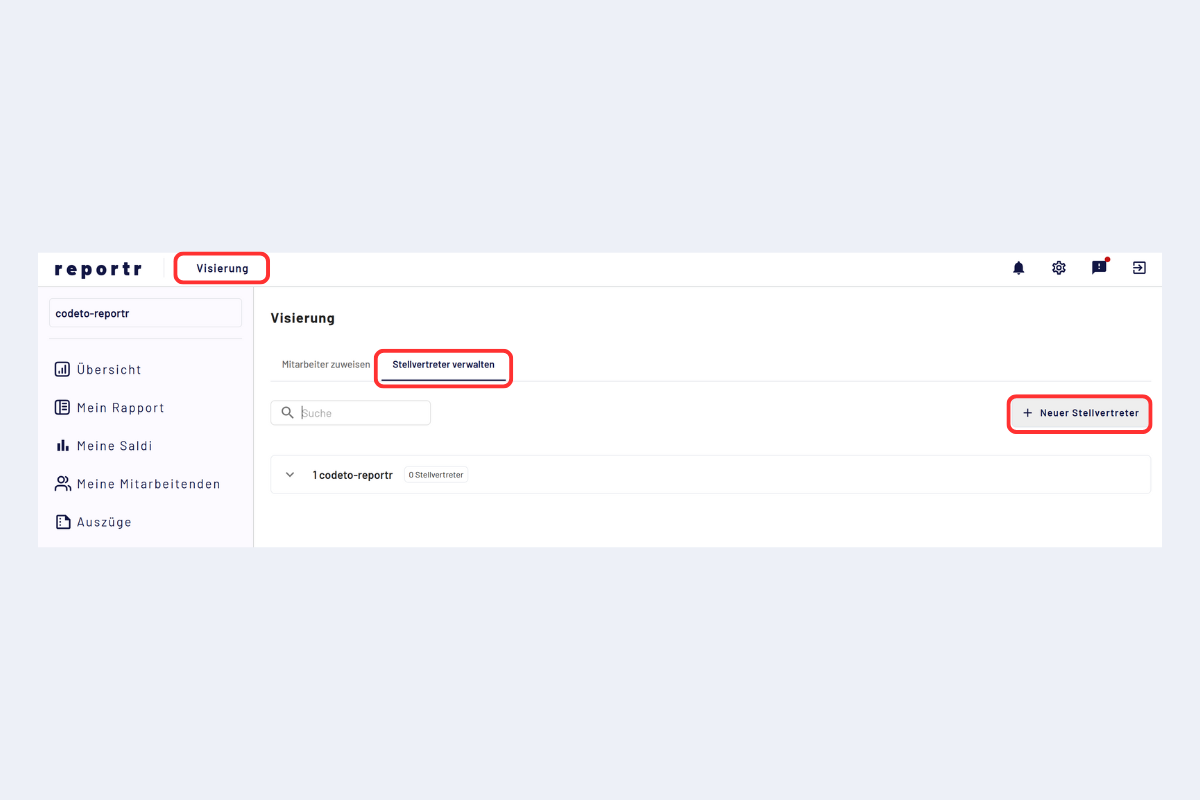
Manage deputy
Input form
- Period: define from and to.
- Absent person: by default yourself. Admins can also set up the deputy for other persons.
- Deputy: the target person who replaces you. With multiple companies, a person from another company can also be selected.
- Approval structure: select the matching structure if several exist.
- Approval role: select the matching role if the person has several.
- Project (for project managers): select the project for which the deputy should apply. Per project, exactly one deputy is active at a time, but different projects can have different deputies.
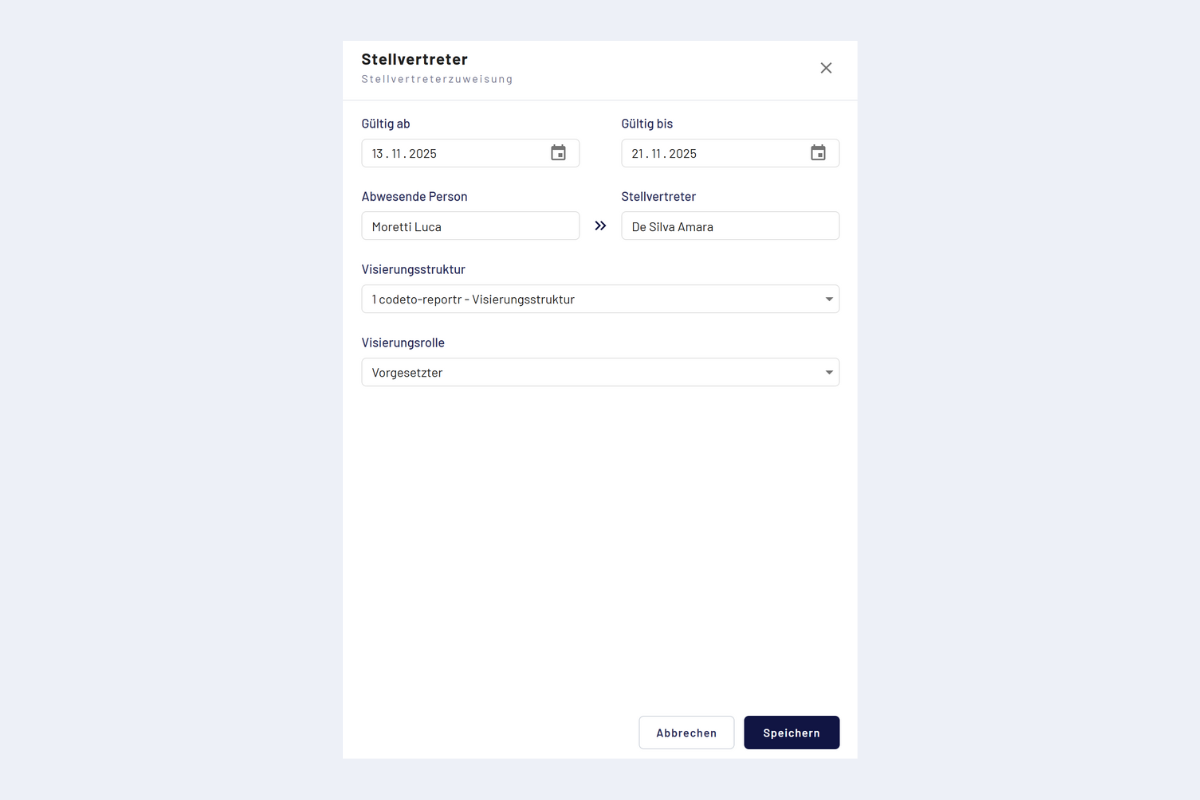
Deputy, input form
First and last day included
The period is inclusive on both ends: the deputy applies from the first day up to and including the last day. Both boundary days are part of the period.
After saving, reports in the defined period are automatically forwarded to the deputy. All actions of the deputy appear in the circulation log.