General additions (employee-related)
General additions are recurring benefits tied to the employee contract, in contrast to project-related additions.
The basics on the "Active additions" and "Templates" tabs as well as the transfer to other companies are described in the introduction.
Depending on permission and configuration, certain general additions can later be added directly during report recording by employees themselves. Only the explicitly released types are available for selection.
Create a general addition
The remaining procedure is identical in both tabs:
-
In "Templates", click "New template"; in "Active additions", click "New general addition".
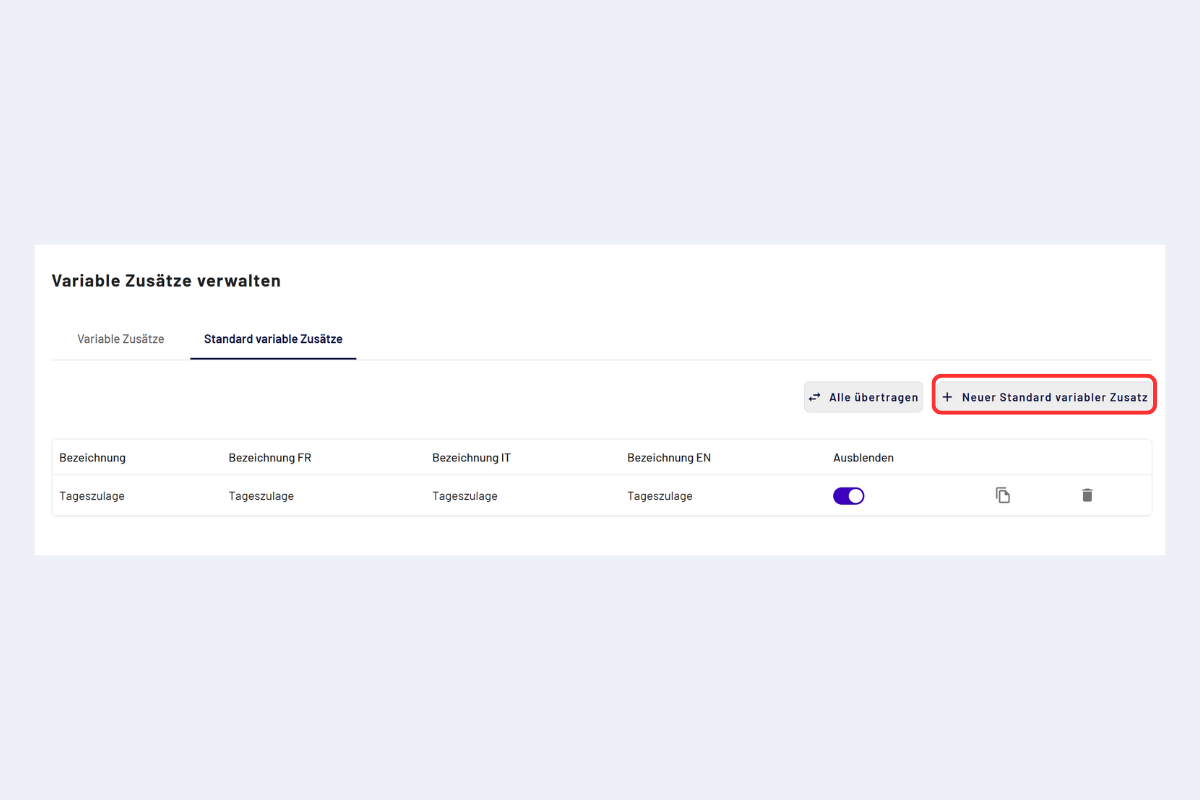
Create a template
-
Fill in the input form and save.
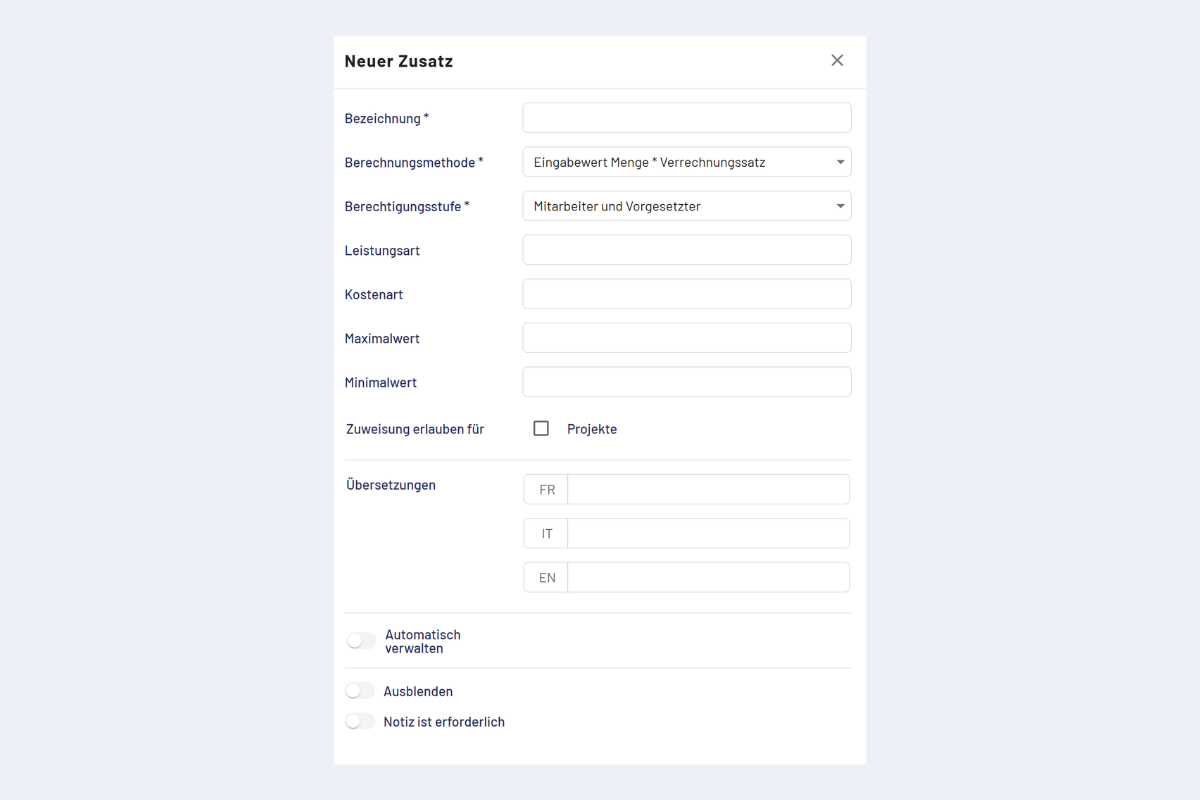
Template, input form
Fields in the input form
Mandatory fields:
- Label: title of the general addition.
- Calculation method: determines how the value is entered when recording.
- Input value: quantity
- Input value: amount
- Input value: quantity × billing rate
- Input value: quantity × mileage rate
Both are only available if they are supplied via an interface. They cannot be configured within codeto report itself.
- Authorization level: defines who may record and edit the general addition.
- Employee and supervisor: default case, all roles can use the addition.
- Supervisor (only editing of automatic additions): employees do not record manual entries, supervisors can subsequently edit additions added automatically.
- Master only: only masters see and edit the addition.
Optional fields:
- Service type: categorization for evaluations and export.
- Cost type: assignment to a cost type for controlling or export.
- Minimum value / Maximum value: limits for the input (e.g. minimum/maximum quantity).
- Allow assignment for:
- Projects
- Absences
- Translations: maintain texts in FR/IT/EN.
- Apply automatically: see Apply general additions automatically.
- Hide: general addition does not appear in the manual selection.
- Note is required: when activated, the general addition can only be reported with a note. Without a note the report cannot be saved.
Apply general additions automatically
Here you define rules for when a general addition is added automatically (e.g. depending on time, project or conditions).
Procedure:
- When creating or editing, activate the "Apply automatically" toggle.
- Click "Add addition conditions".
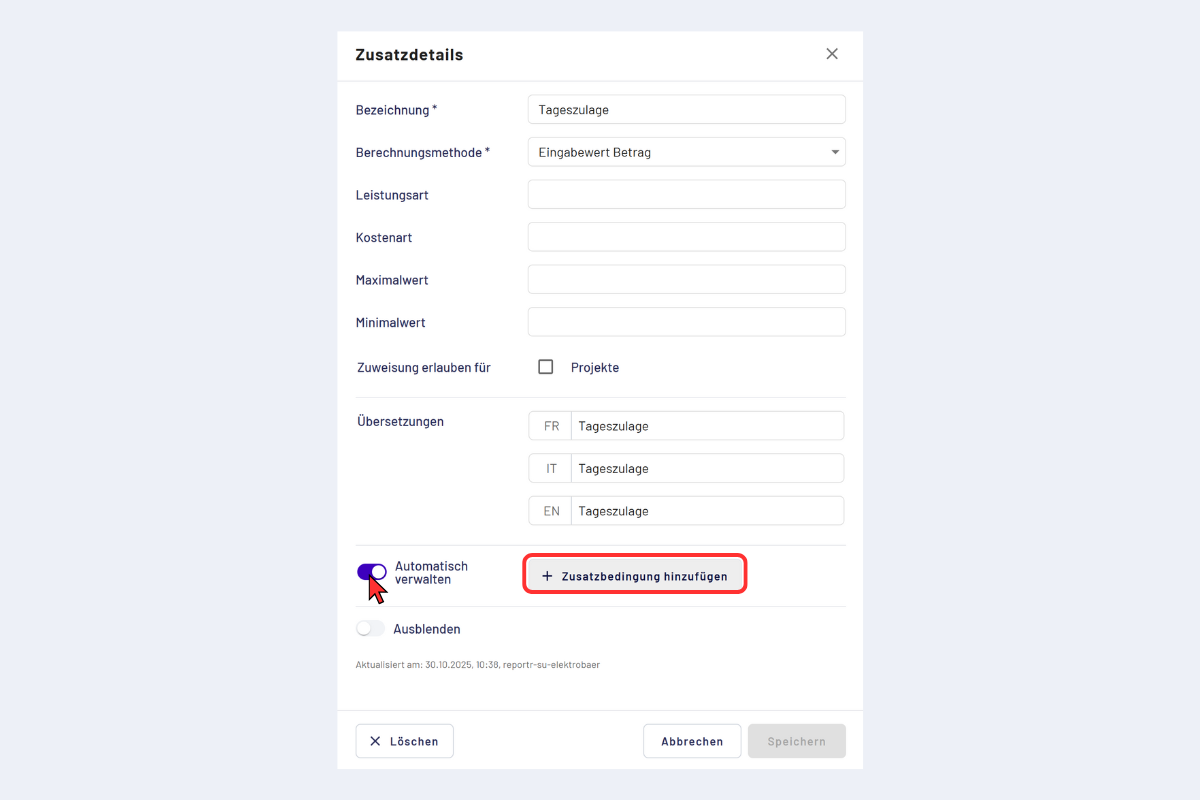
Apply general addition automatically, add conditions
Record addition conditions
After clicking "Add addition conditions", the input form for the rules opens.
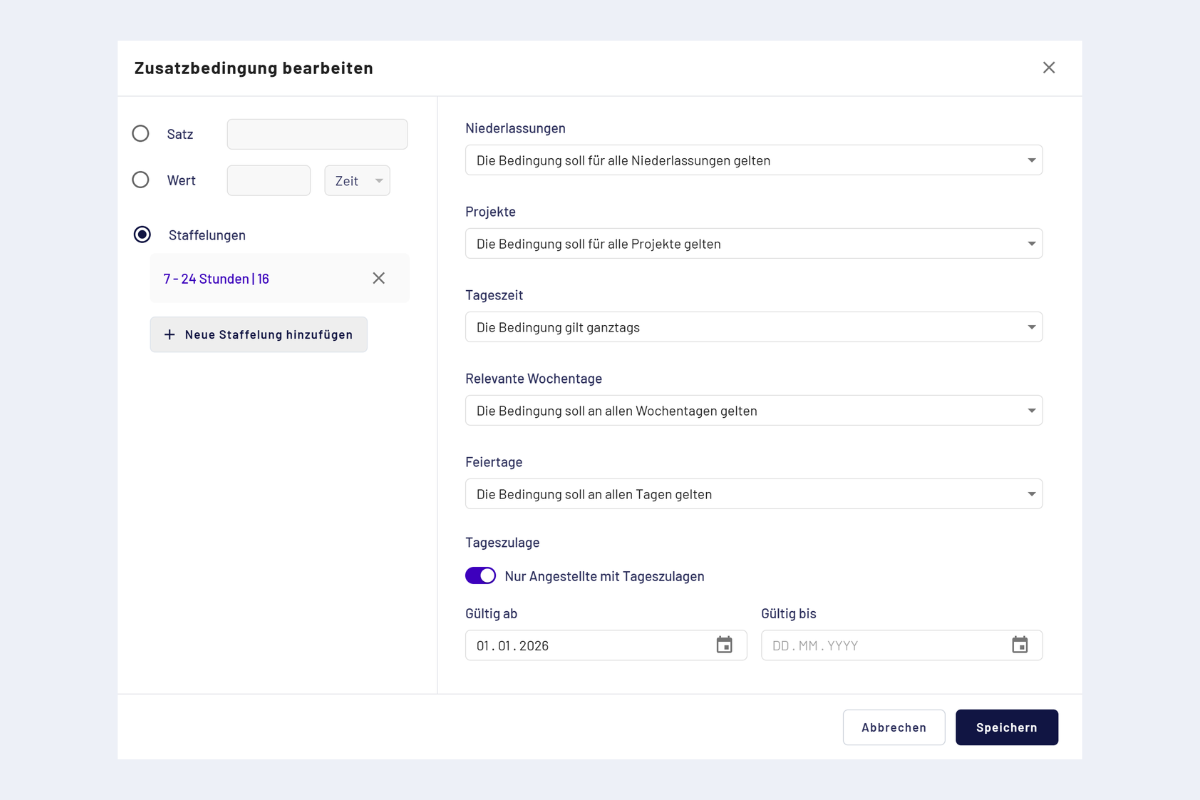
Addition conditions, input form
- Rate / Entry (choose on the left):
- Percent
- Fixed value (with unit)
- Tiering (several time windows with different rates)
- Branches: optionally restrict to specific branches.
- Projects: optionally restrict to specific projects.
- Time of day: define a time window.
- Weekdays: choose the relevant days.
- Public holidays: define whether the rule should also apply on public holidays.
- Daily allowance: only apply for employees who are entitled to daily allowances.
- Valid from / Valid until: period during which the condition applies. This applies only to the automatic booking of the addition; outside this period the addition is not added automatically.
From a daily working time of at least 7 hours, a fixed addition of CHF 16.00 is added.
A time window must not span across midnight. For 23:00 to 05:00 record two conditions: 23:00 to 00:00 and 00:00 to 05:00.
Saved conditions
After saving, the conditions are stored on the general addition. Any number of conditions per general addition is possible.
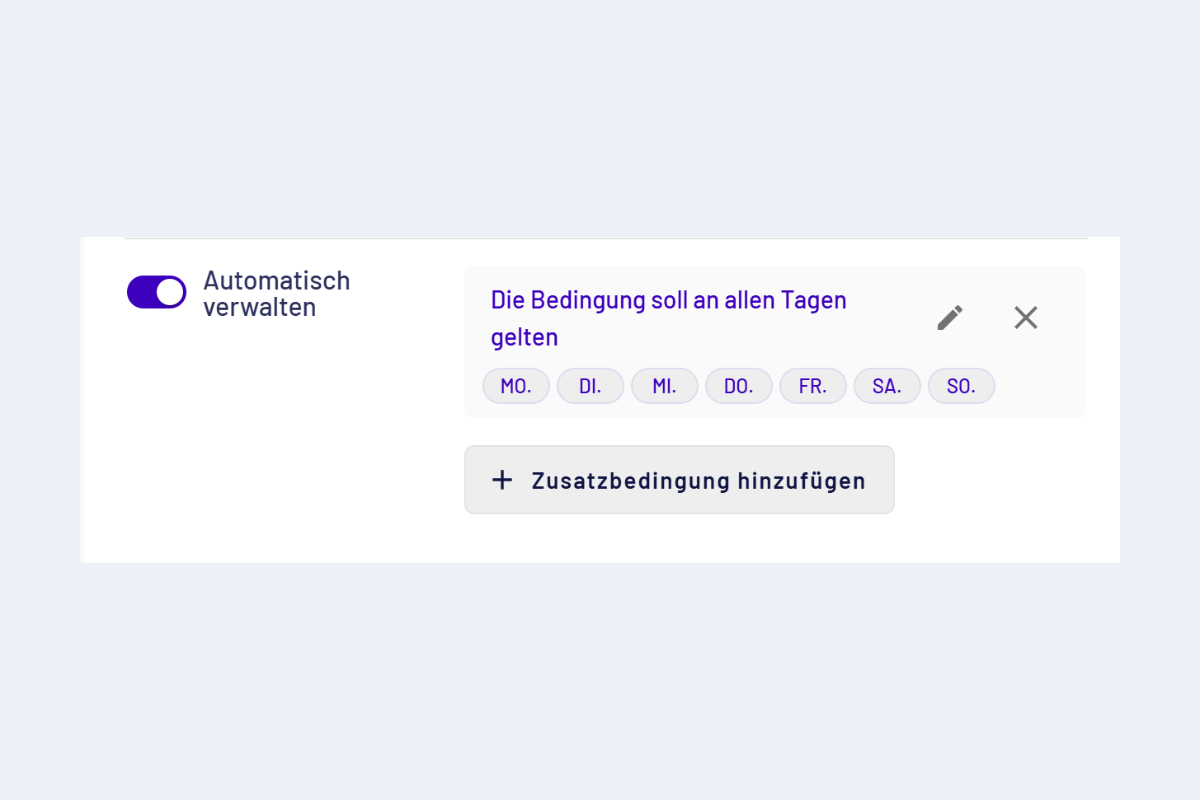
General addition, saved conditions (example)
Example: Lunch allowance per GAV (recommendation)
The GAV recommendation provides a lunch allowance of CHF 18.–. Since codeto report currently does not allow a rayon to be configured, there are two practical ways to record the lunch allowance:
- Automatic: via a general addition with stored conditions, see Apply general additions automatically. The automatic variant is configurable but requires clarity beforehand about which projects are entitled to surcharges. In the conditions, the «Projects» field can be used to define which projects the rule applies to, or to specifically exclude individual projects.
- Manual: employees add the lunch allowance themselves as a general addition per day, in both the web application and the mobile app.
If the surcharge entitlement per project is clear and stable, the automatic variant works reliably. If projects change frequently or entitlement is decided case by case, manual recording is more pragmatic.