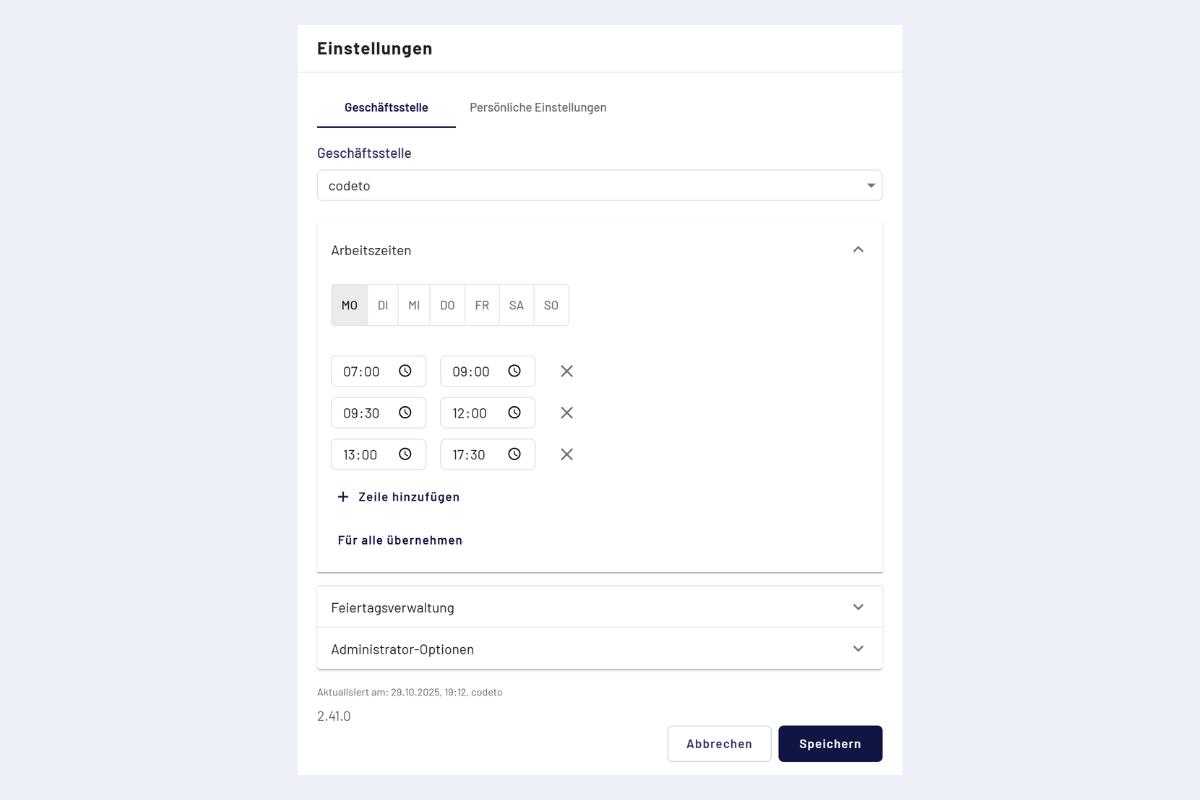
Default working hours
Set standard working hours per branch office. They are proposed as time blocks when a new report is created and apply automatically as long as employees have not set differing personal working hours.
Not the target hours
Standard working hours are purely an input aid and have no effect on balances or rule checks. The target hours come from the employee contract, see Working time and target hours.
Define
- Top right, click Settings, "Branch office" tab (open by default).
- With several branch offices, choose the desired one. With the appropriate permission, individual default working hours can be stored per branch office.
- Add one or more blocks per weekday (e.g. morning and afternoon for the lunch break).
- If all working days have the same hours, define Monday and choose "Apply to all".
- Save.