Additions and supplements
Basic principle
- Additions: Project-related. Recorded directly on a report for a project (manually) or added automatically based on rules.
- General additions: Personal or contractual. Apply independently of any project. Examples: vehicle lump sum, monthly allowances, daily allowance from a certain daily working time onwards.
Whether additions from rules are created automatically also depends on whether overtime is enabled in the valid contract. If it is disabled, no automatic additions are created. This mainly affects profit-sharing and management employees, see Rule checks and GAV special features.
When do I use what?
- Additions: When the item is tied to a project or a report and should appear there only.
- General additions: When the item is tied to the person or the contract and applies independently of any project.
To manage or configure additions, choose the matching category in the quick access: "Report additions" or "General additions".
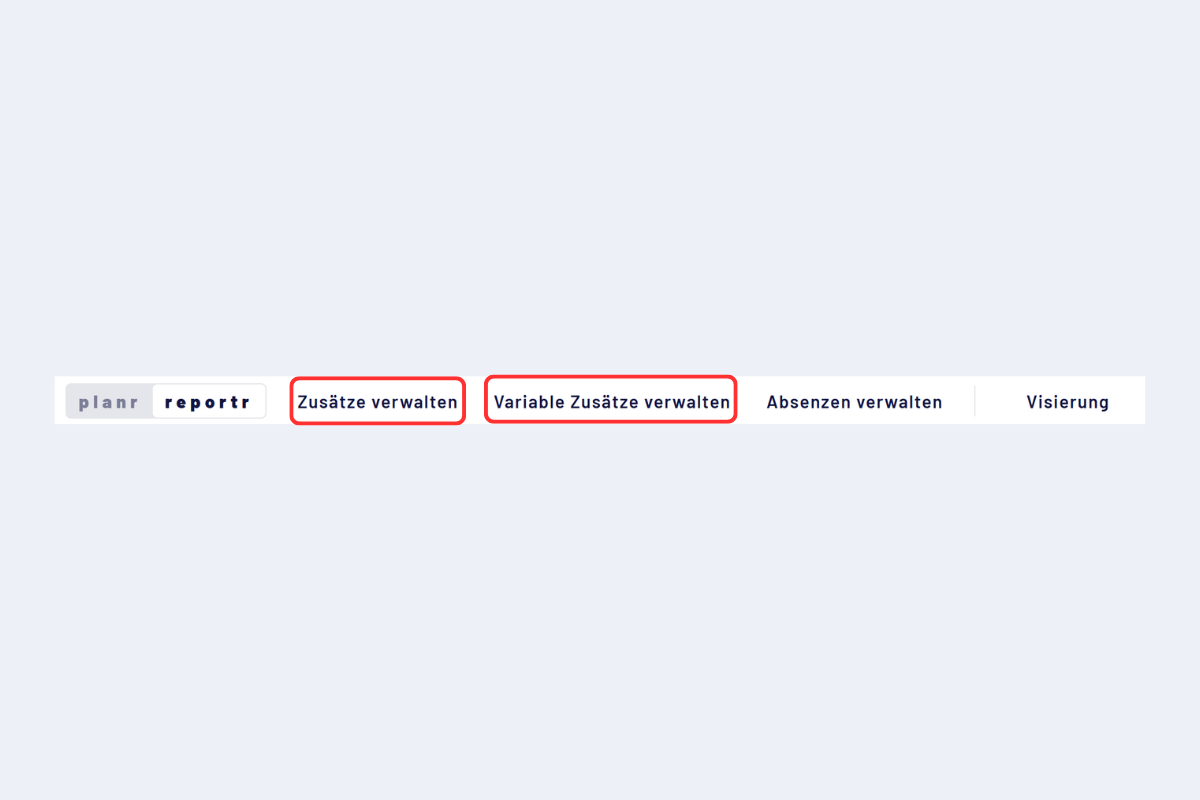
Quick access, selecting Report additions or General additions
Templates and companies
Both categories (Report additions and General additions) have two tabs that work the same way:
- Active additions: the entries that are active in a company. For companies with a single company, this tab is sufficient.
- Templates: central catalogue for companies with several companies. Define once and transfer to individual or all companies as needed.
An entry under "Templates" is initially only a catalogue entry. It only takes effect once it exists in the target company under the "Active additions" tab, either entered there directly or copied from the templates.
Transfer a template
Templates can be transferred to other companies. The procedure is identical for Report additions and General additions.
- Open "Templates" in the branch office settings.
- Choose "Transfer to all" or "Copy individually".
- In the pop-up, select the transfer target (target company) and confirm.
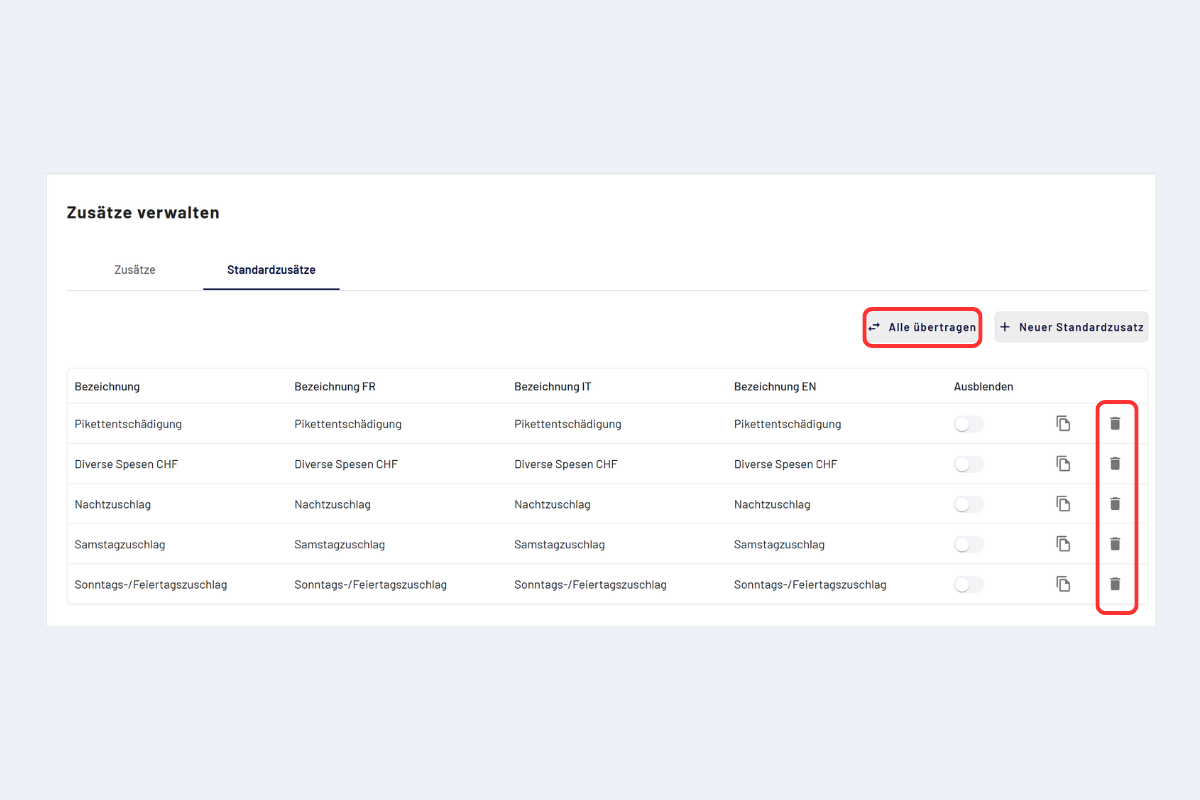
Template, transfer
As soon as a template has been transferred or an entry has been recorded directly in the respective tab, it is available for selection during recording.