Working hours
Only store personal working hours when they differ from the company's default working hours. Otherwise, the administrator's default setting applies automatically.
Set working hours
- Top right, click Settings and switch to the Personal settings tab.
- For each weekday, add one or several lines and enter a start and end time. Any number of blocks per day is possible, e.g. for morning and afternoon or for varying shifts.
- With "Apply to all", a daily configuration can be transferred to all days, including Saturday and Sunday.
- Save.
The stored times are proposed as default for each new report.
Synchronised with the mobile app
Changes in the web app automatically take effect in the mobile app, and vice versa.
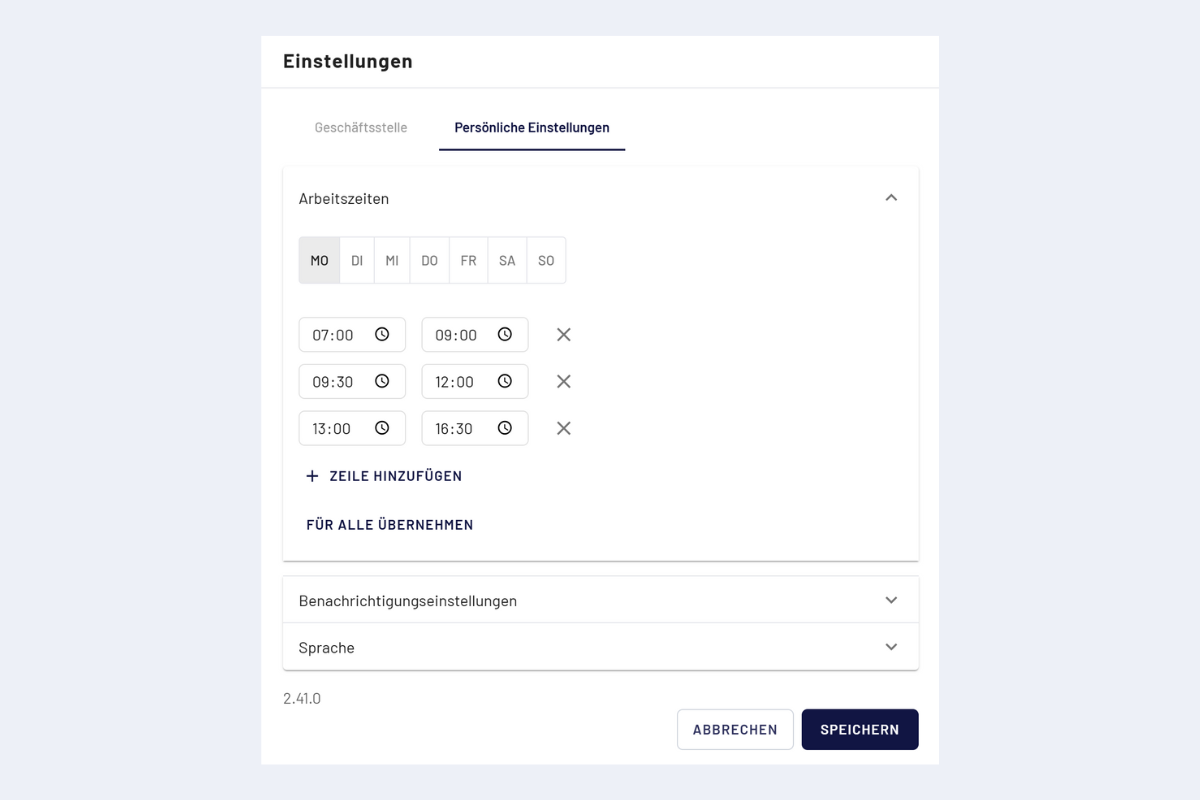
Personal settings, working hours