Set up absence requests
Whether an absence type must be requested is set per absence type in the absence management. Only a super user can do this. For SaaS customers, codeto sets this up on request, please contact support. Typical examples are holidays or compensation. Absences that cannot be planned, for example accidents, are usually still reported directly.
Settings per absence type
| Setting | Effect |
|---|---|
| Approval process active | The absence must be requested under "My absences". Only these absence types are available in a request. |
| Request lead time (days) | The number of days before the start by which a request must be submitted. Days within this period are reported directly. 0 means no lead time. |
| Minimal request duration (hours) | Shorter absences per day can be reported directly without a request. |
| Note is required | The request cannot be submitted without a note. |
| Attachment required | An attachment is needed, optionally only from a certain number of days. |
| Negative balance allowed | The absence can be requested even if the balance is insufficient. Otherwise an error message appears when requesting. |
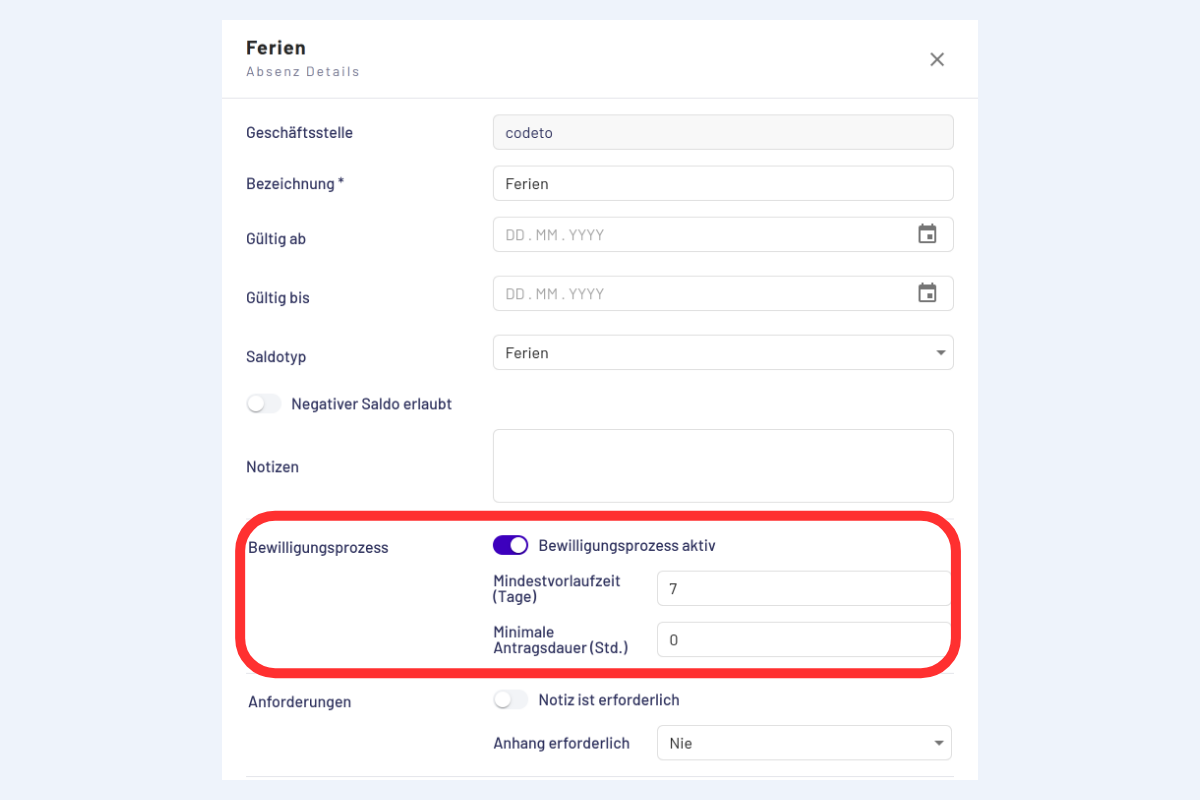
How lead time and minimal request duration work together is shown in the example under Request or report directly?
Changing settings
If the approval process is switched on or off for an absence type, existing requests and reports are kept.
Who approves
Requests go through the existing approval structure. There is no separate structure for absence requests. Details under Approve requests.