Enter report as admin
Admins can enter reports on behalf of employees. Typical for corrections, follow-ups, or when someone is already on vacation and forgot to submit a report.
Traceability
Every action by an admin is logged in the circulation log with timestamp and user.
Procedure
- Switch to the desired person.
- Create the report as usual via drag and drop in the desired period (day, week, month or year view).
- Alternatively, open the detail view of the person (expand). There you can:
- Close the week
- Forward individual days
- View or add existing general additions
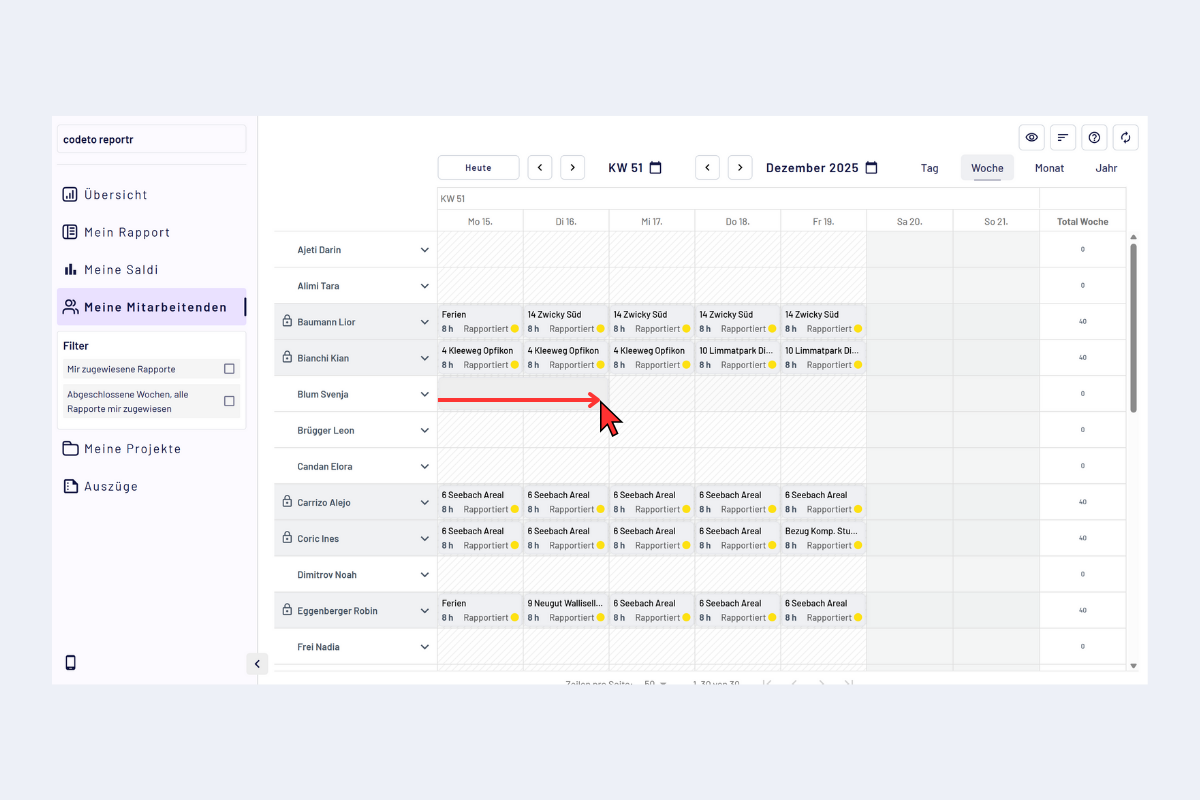
Admin for employees, record report in the detail view
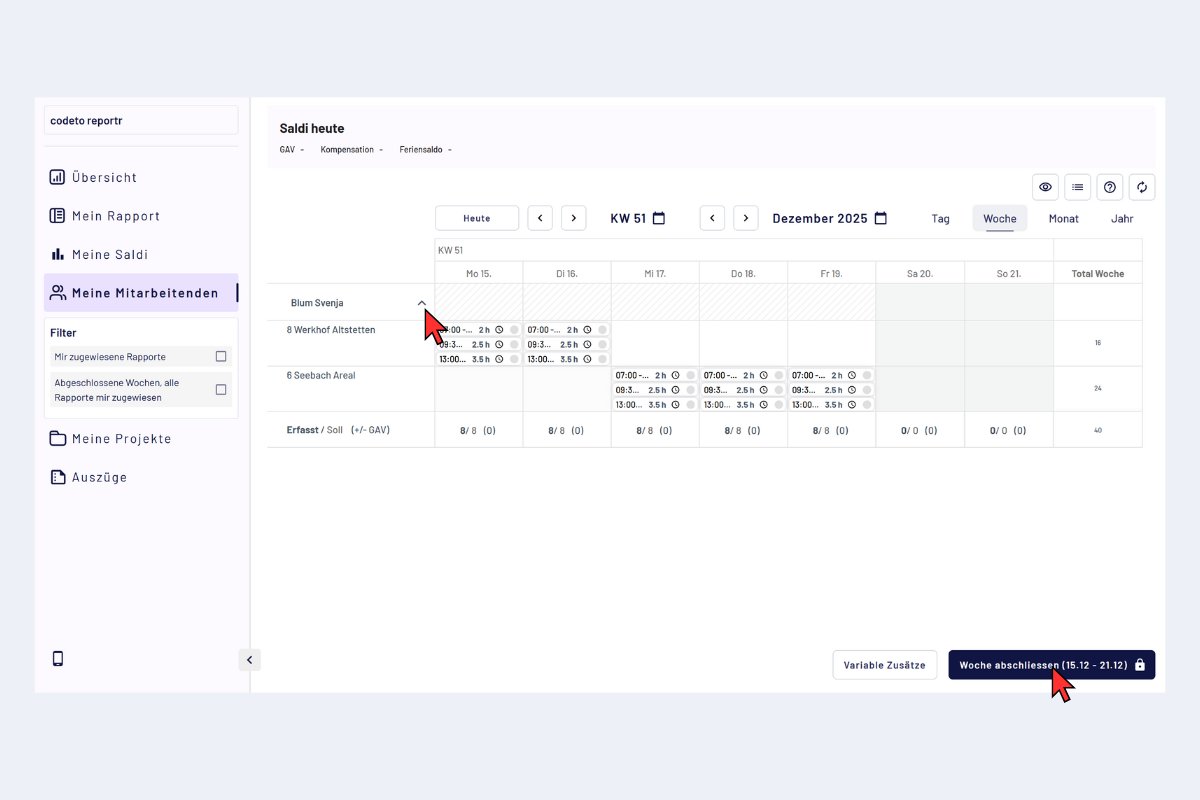
Admin for employees, forward/close report