Calendar
Navigation
When you open the calendar you always land in the week view of the current week. Switch between day, week and month view at the top, with the time period shown below (e.g. «November 2025, CW 46»).
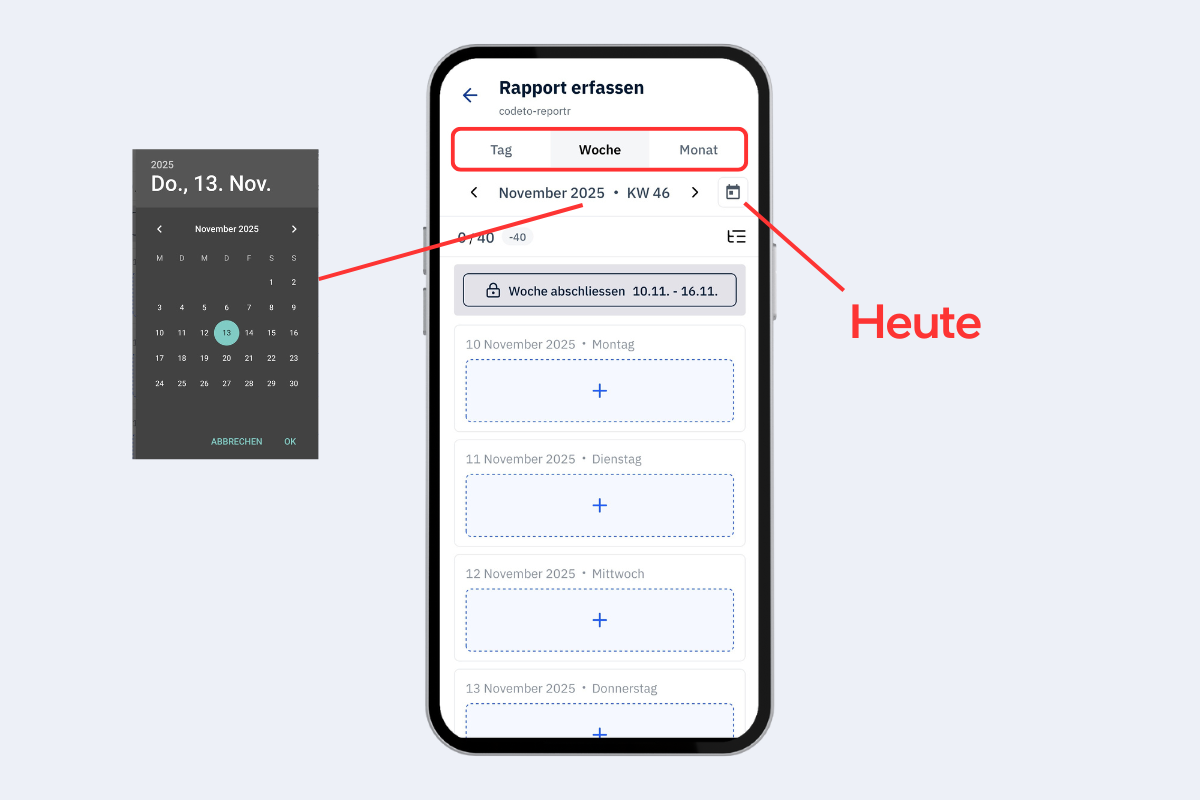
Mobile app, calendar: navigation
- Left/right arrows: one step forward or back (day, week or month, depending on the view).
- Click on the time period: open a calendar and pick a specific day.
- Calendar icon on the right: jump back to today.
Reading the display
Example 0/40, −40:
- 0 hours reported
- 40 target hours in the week
- Difference −40 h. Overtime is shown without a minus sign.
A daily display such as 8/8 can additionally appear, meaning 8 hours reported against 8 target hours, so the daily target is met.
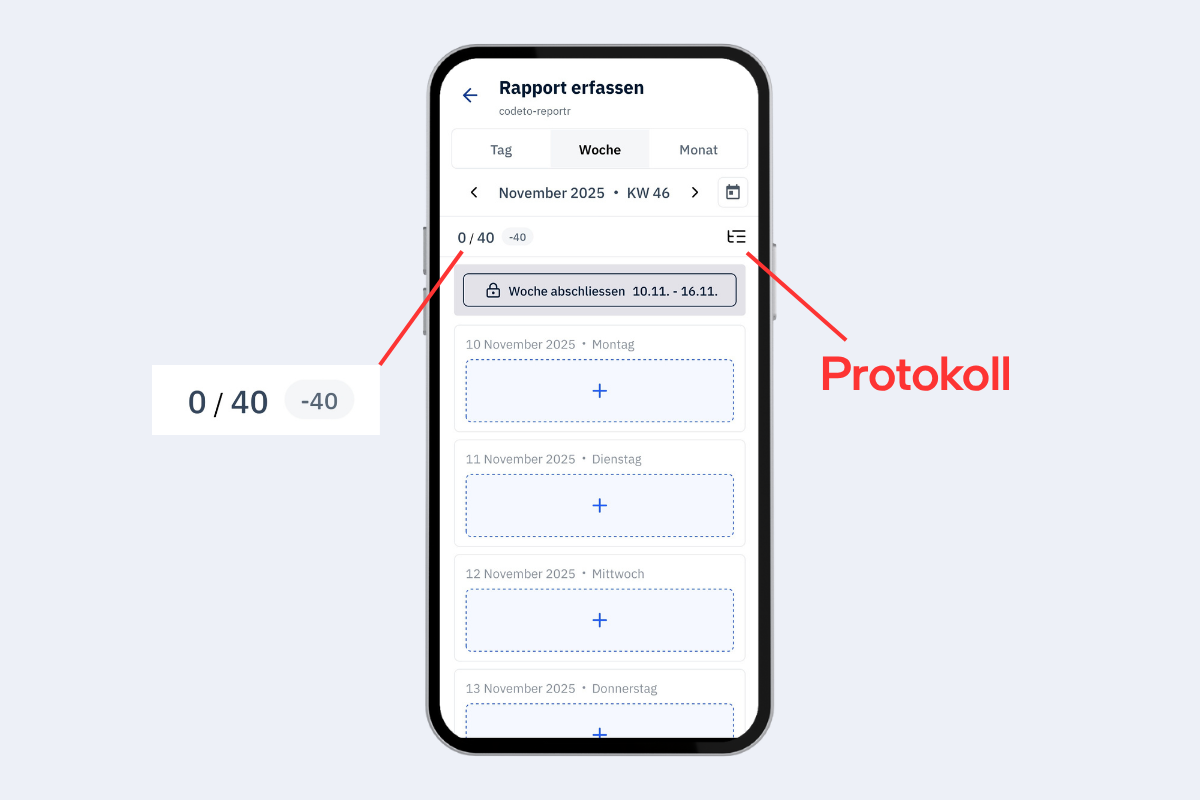
Mobile app, calendar: meaning of the display
The log icon opens the list of all entries and actions with timestamps.
Forwarded entries
With «Forward» the report is created and automatically sent to the next person in the approval structure. From then on the entry is no longer editable.
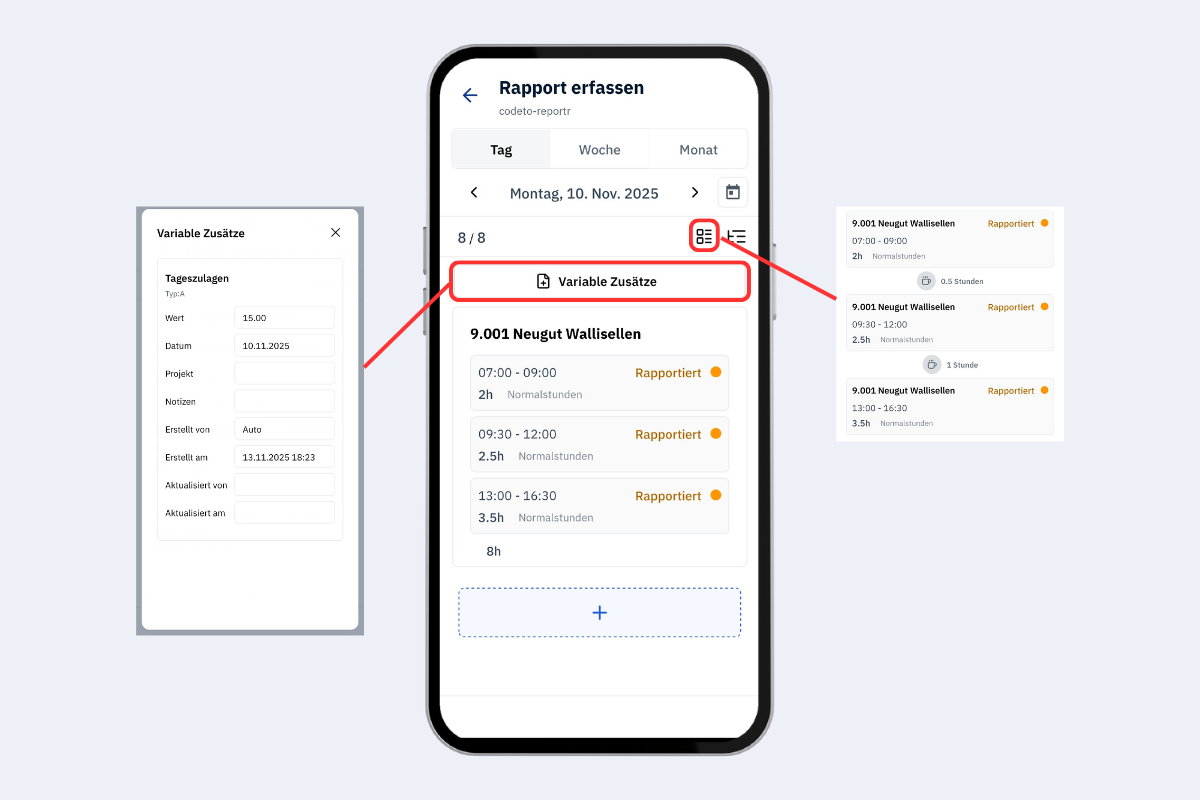
Mobile app, forwarded report
- General additions: shows automatically applicable general additions. Example: daily allowance CHF 15 per day as soon as more than 7 h have been worked.
- Display icon (top, marked red): controls whether breaks are also visualised.