Approve (for PMs and supervisors)
Project managers and supervisors review and approve reports directly in the mobile app.
- Inbox: forwarded entries appear under "Record report" or in the "History" (in circulation), depending on the role.
- Action: open entries per day, check the contents (time, project/absence, notes) and approve or reject.
- Rejection: a reason is mandatory. The entry goes back to the employee.
Details in the web documentation:
Approving for project managers
As a project manager, all reports for your own projects that need to be approved appear here. Approve entries individually or process them in one step with "Approve all" / "Reject all".
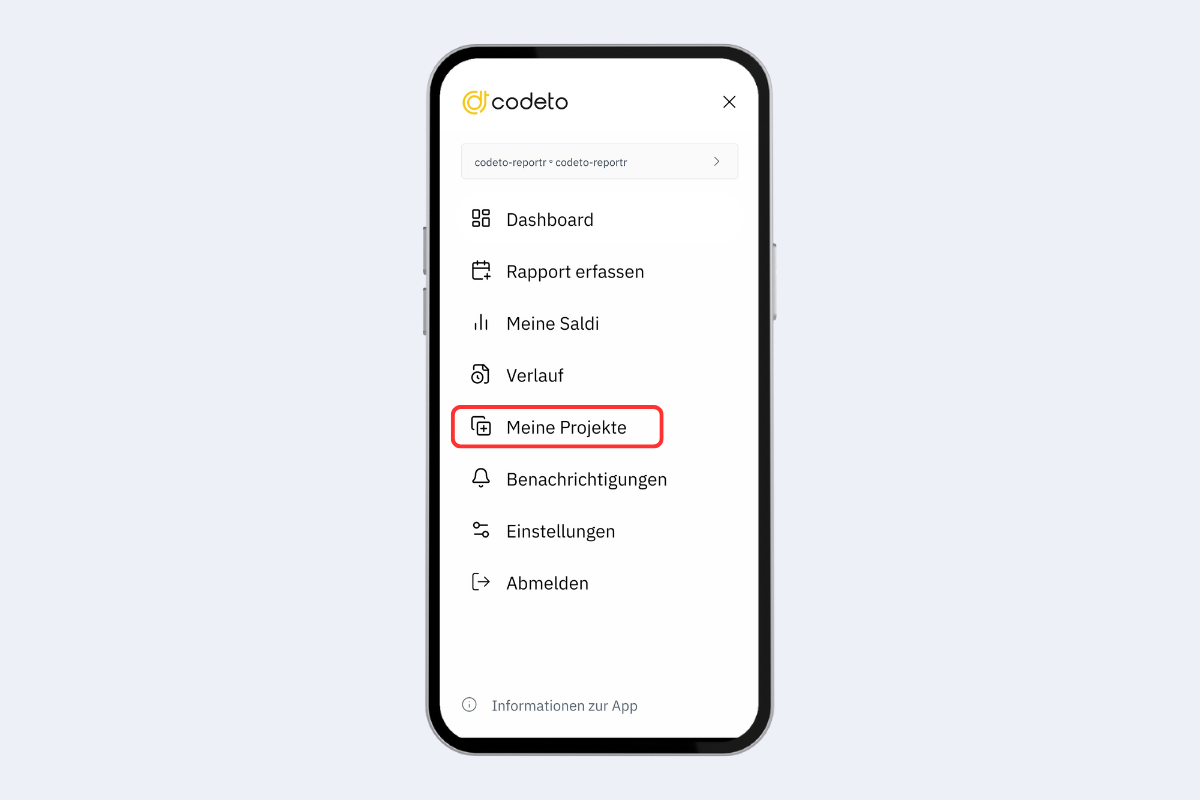
Mobile app, approve: my projects
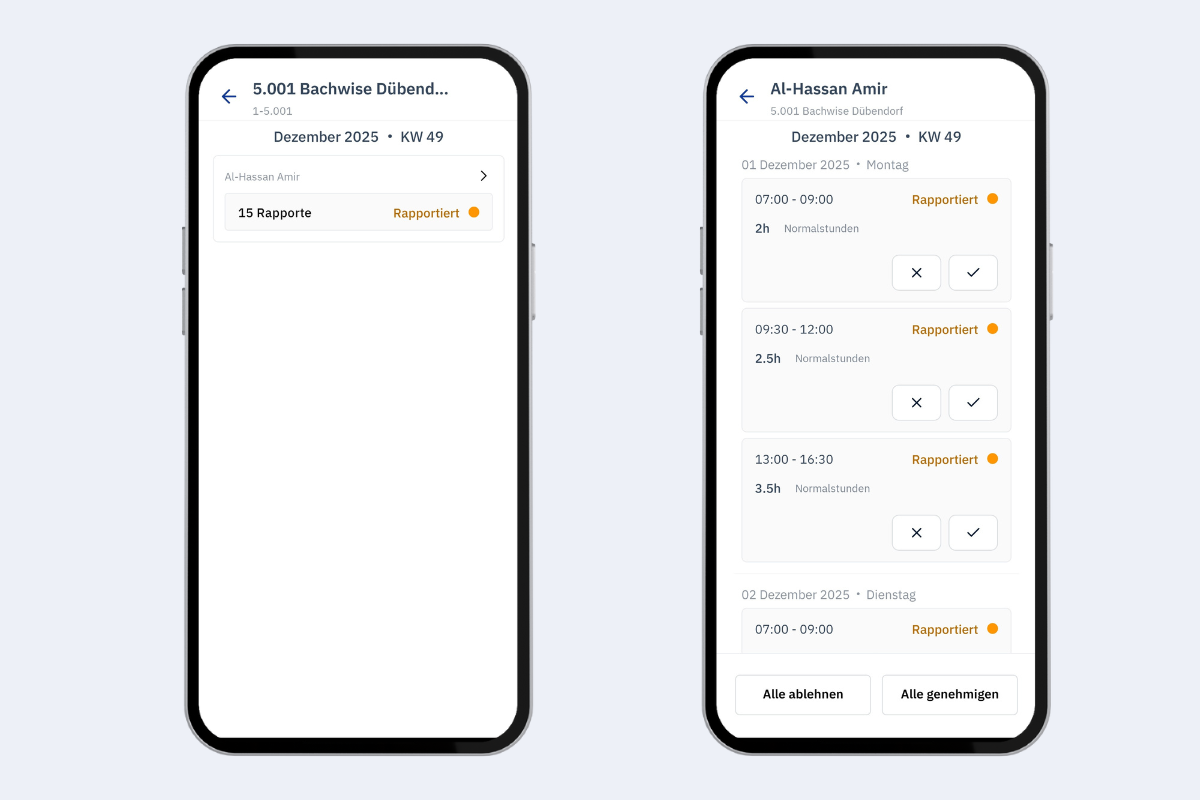
Mobile app, approve for project managers