Record report
Tap «Current week» on the dashboard or open «Record report» in the menu. For details on calendar navigation and the displays see Calendar.
Record a new report
On the desired day, tap the plus icon.
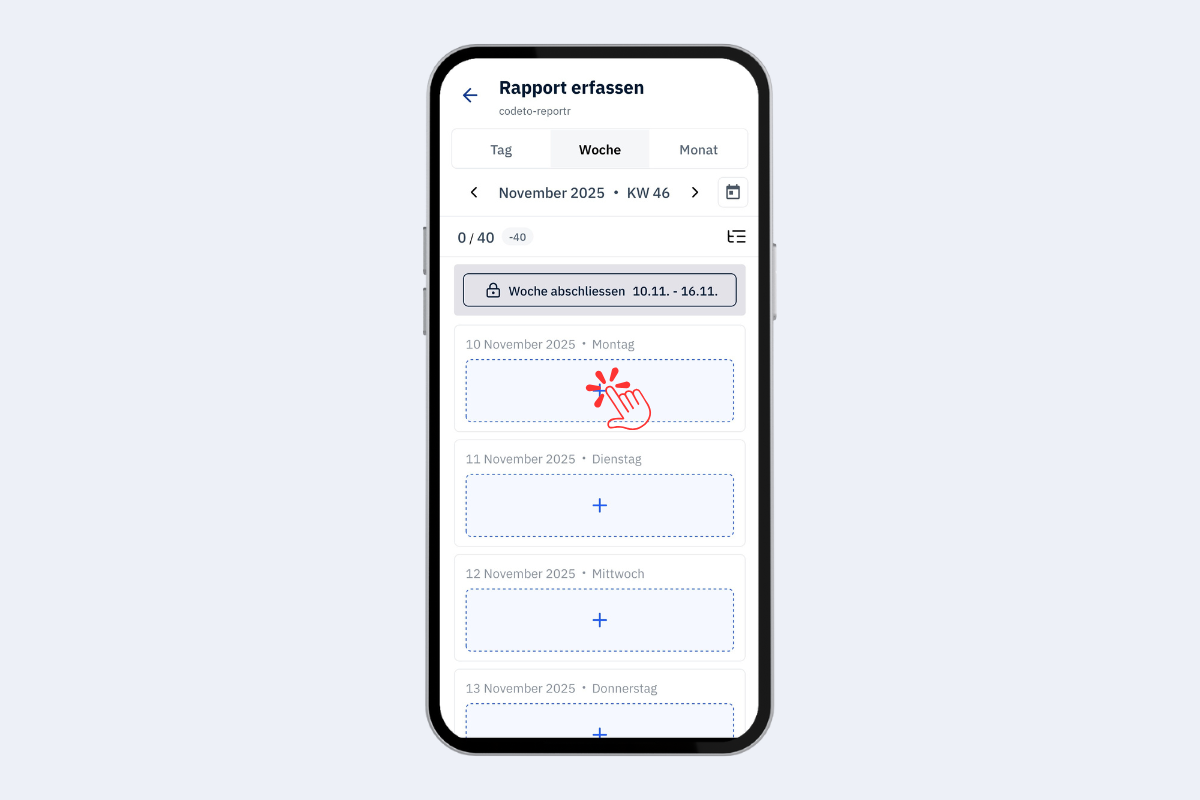
Mobile app, record new report
Choose project or absence
First select whether it is a project or absence report (default: project). Filter in the search field by project number or name. For absences see Record absence.
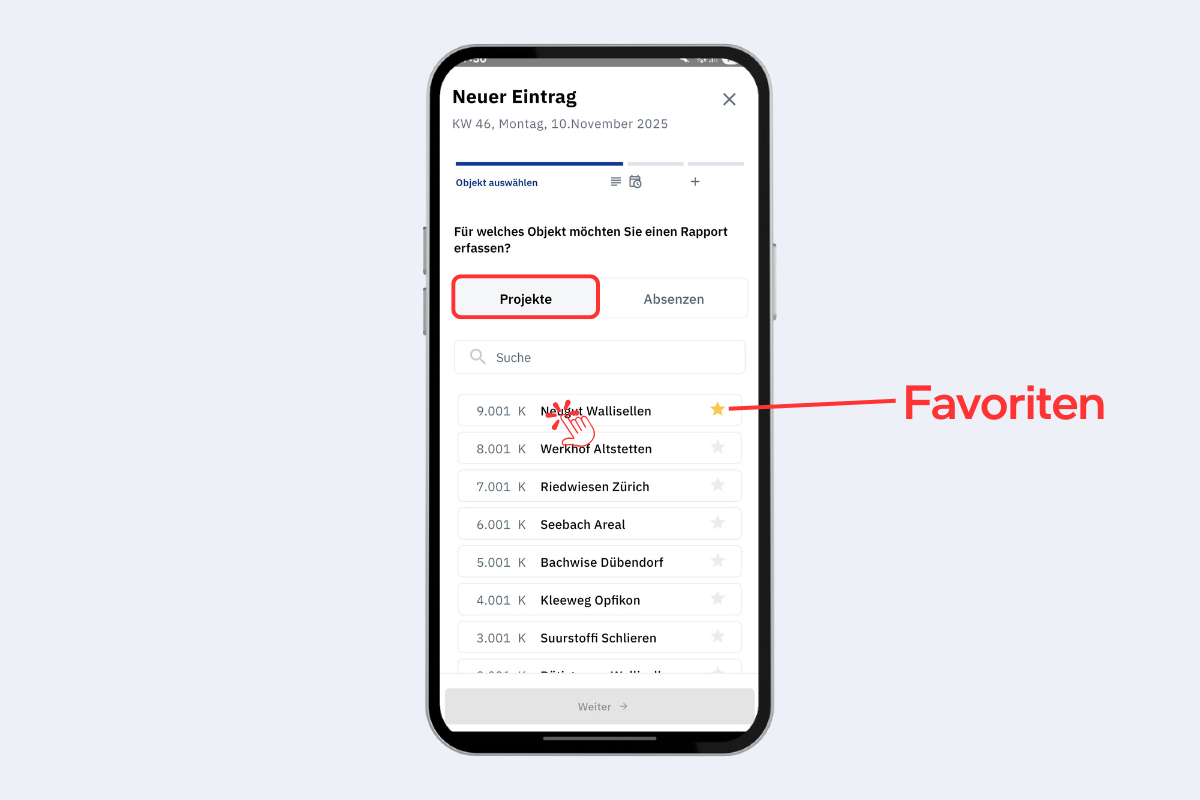
Mobile app, select project
Tap the star on the right to add a project to favourites. Favourites then appear at the top.
Enter times
- Repeat entry: select multiple days (e.g. the whole week on the same project).
- Adjust time window: «+» adds time to the end of the last block, «–» removes time.
- Blocks: a day can consist of several blocks, so breaks are mapped correctly.
- Block times: tap directly on the time to adjust start and end.
- Notes: optional per block.
- Additional blocks: add with «Add row» or remove with «X».
- Hour type: default «Normal hours», optionally «Travel time» or «Extra hours».
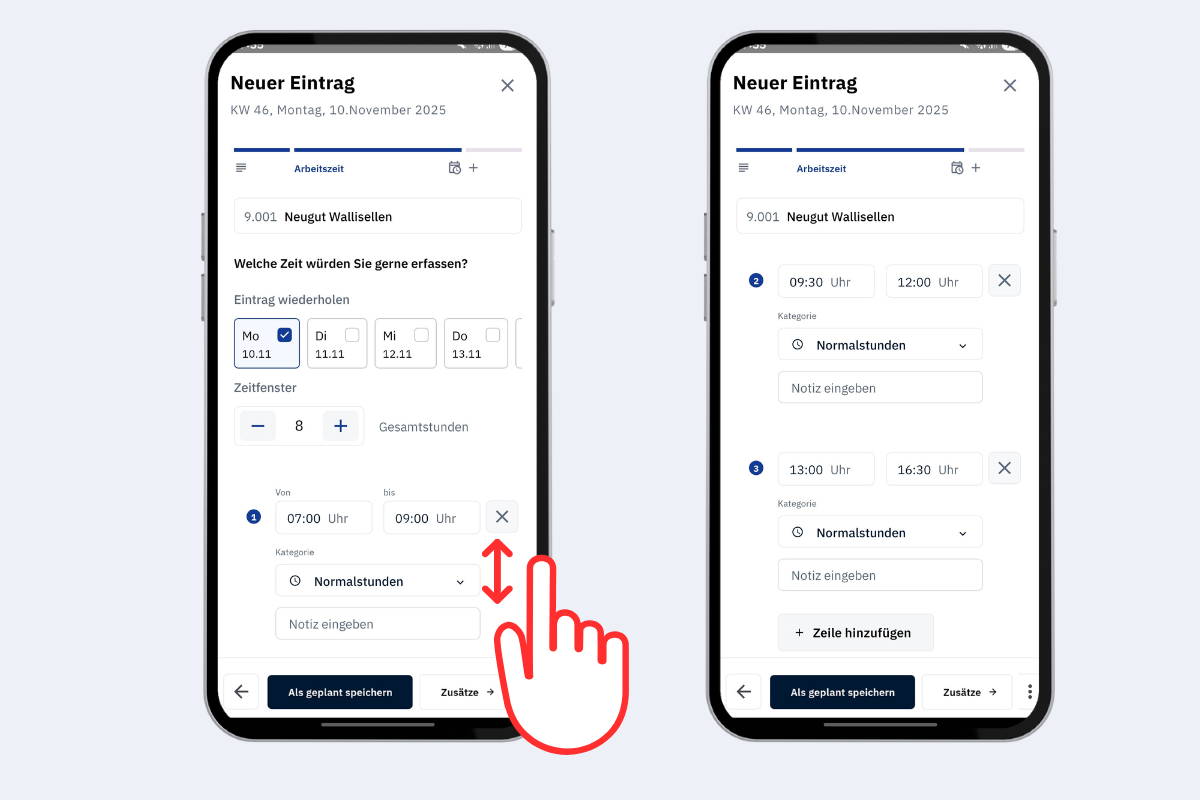
Mobile app, choose time and edit blocks
Actions at the bottom
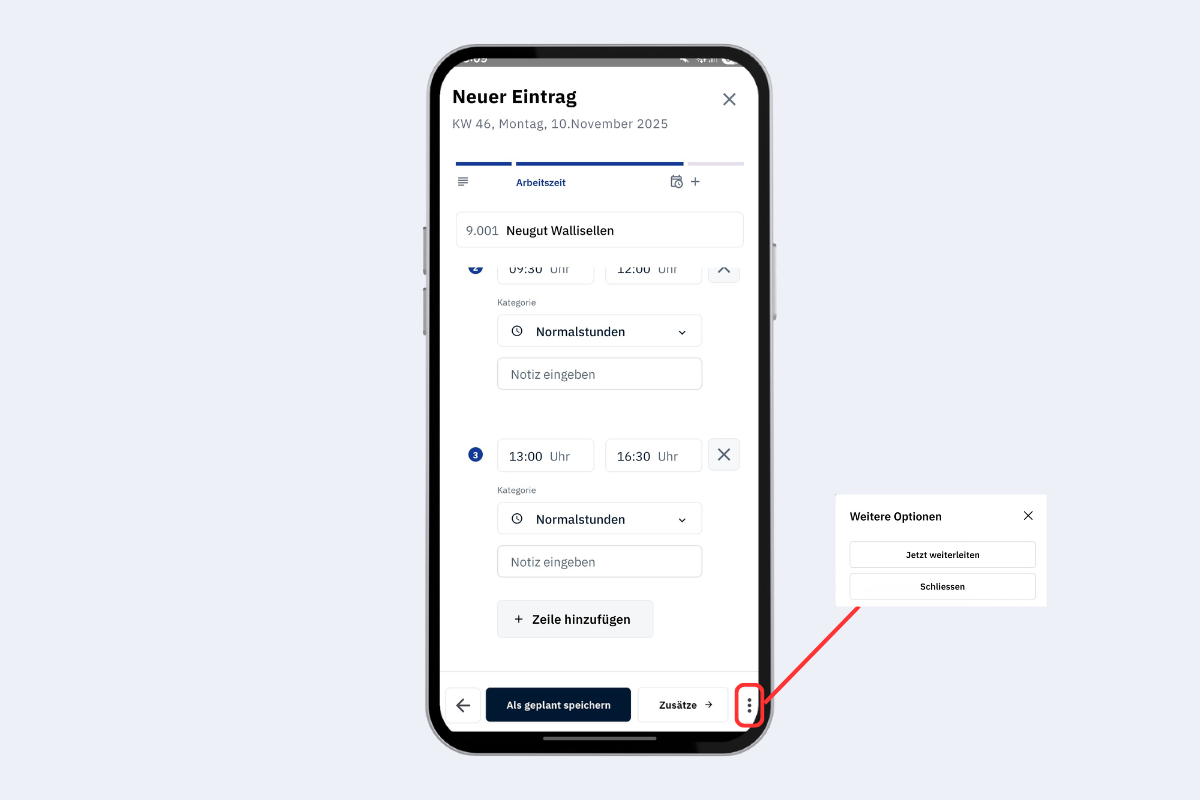
Mobile app, actions at the bottom
- Left arrow: one step back to change the project again.
- Save as planned: the entry remains editable until it is forwarded or the week is closed.
- Add-ons: add predefined add-ons.
- Three dots: forward the entry; afterwards it is no longer editable and is handed over to the next stage.
Add-ons
Add one add-on per block. Only the types predefined by the company are available.
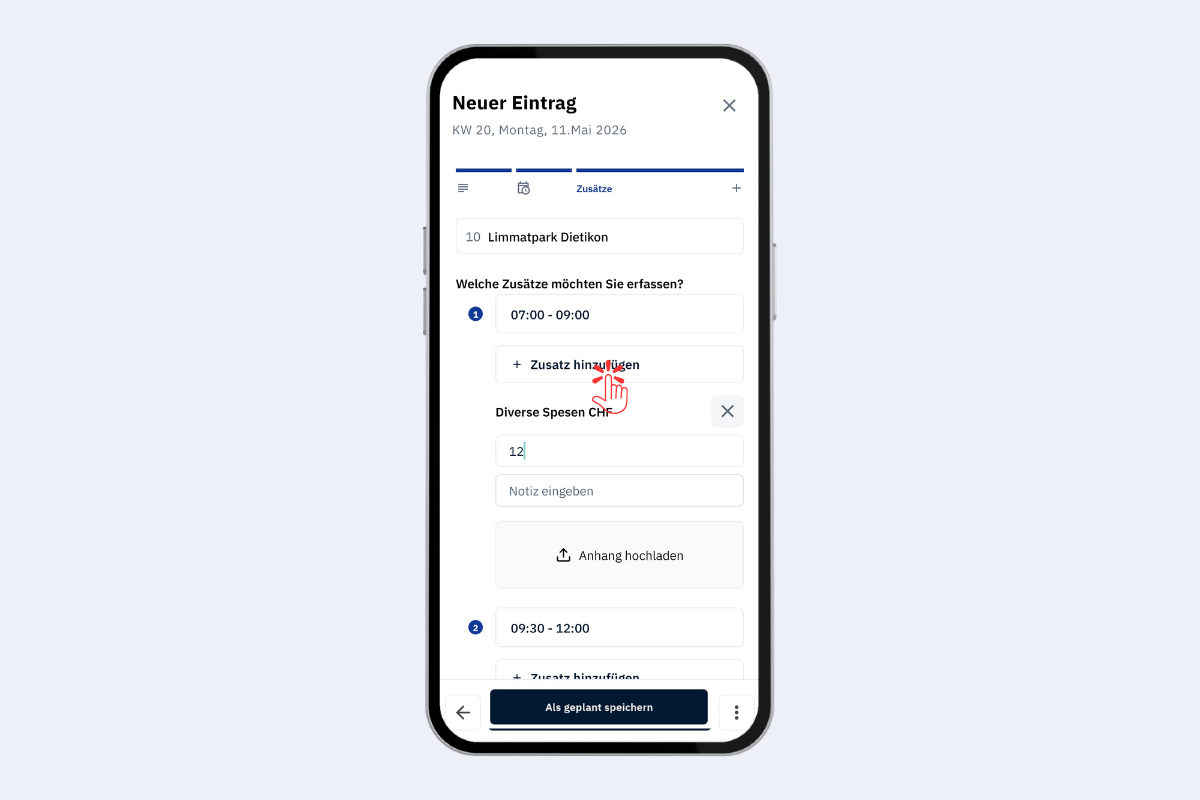
Mobile app, record add-ons
Forward
Forwarding is only possible in the day view. In the week view the entire week is closed instead. After forwarding or closing the week, the reports are locked and go to the next approval stage.
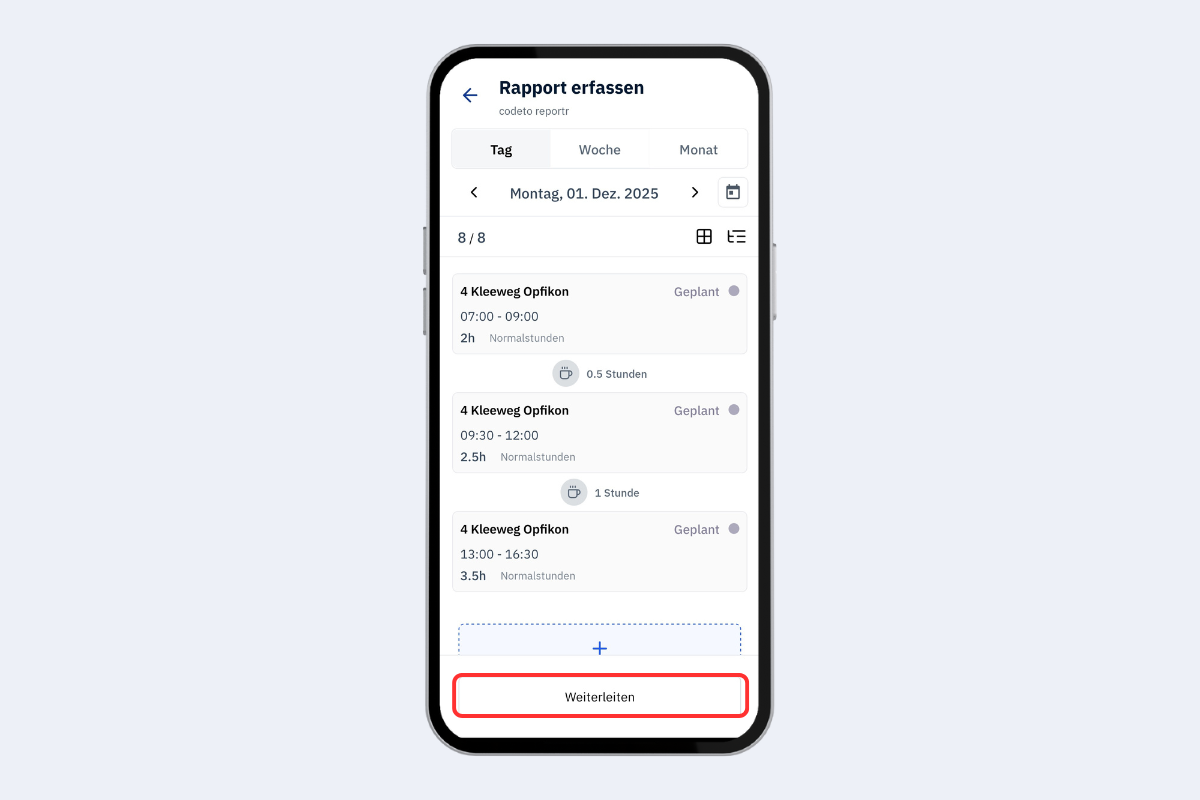
Mobile app, forward report
Edit report
Only possible if the report has the «planned» status, and only in the day view. In addition, hide the breaks: tap the display icon and disable the break display. The edit option then appears at the bottom right.
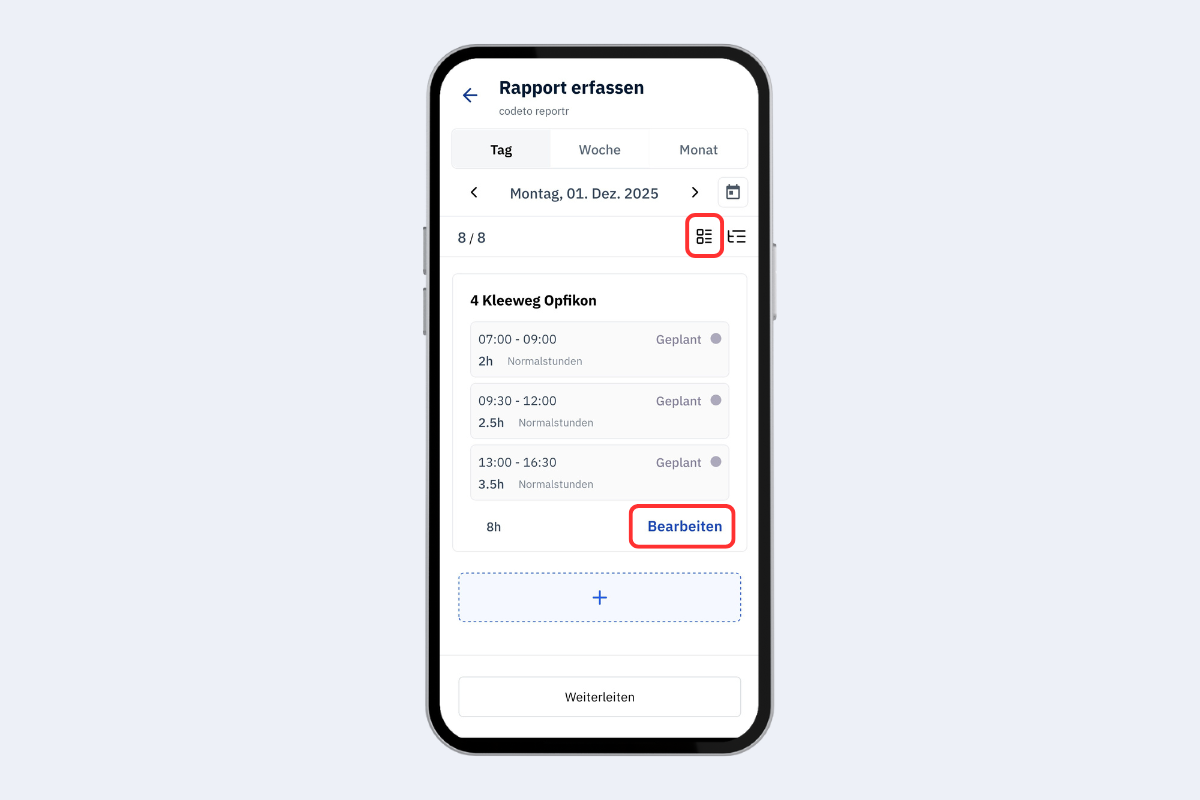
Mobile app, edit report
Circulation log
The log icon opens the circulation log with all steps, actions, timestamps and the current assignment.
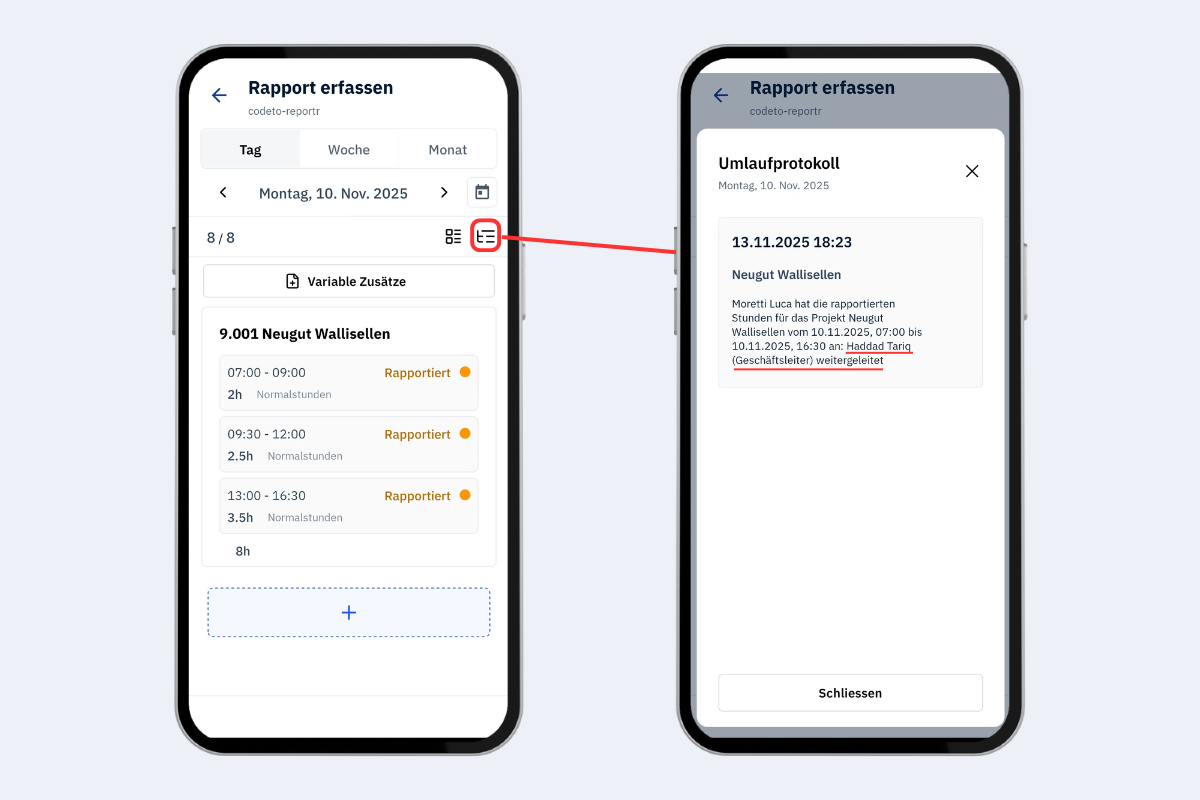
Mobile app, circulation log